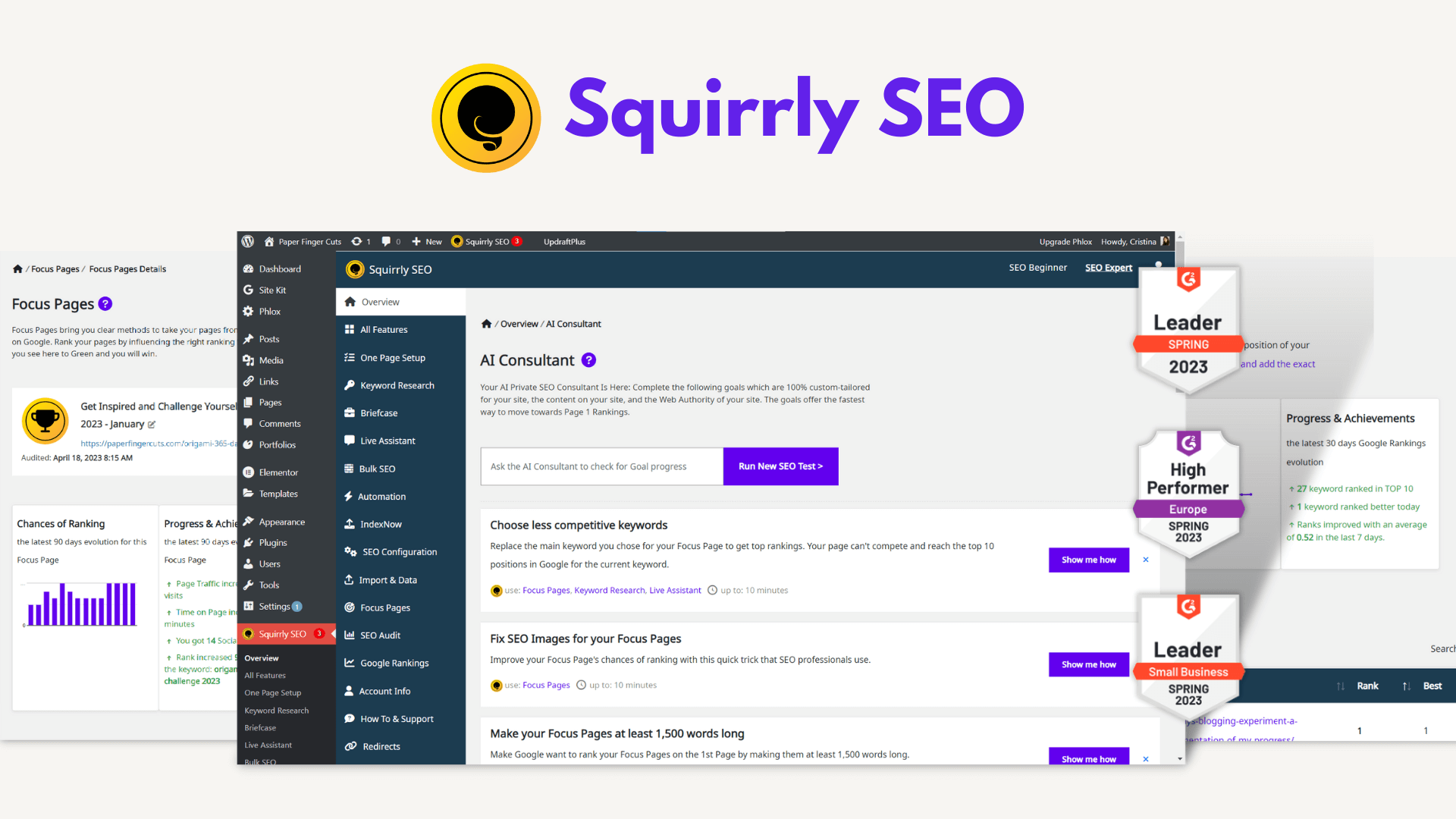
Are you looking for a powerful tool to enhance your website’s SEO? Squirrly SEO might be the perfect solution for you. In this article, we will explore the pricing of Squirrly SEO, its key features, and how it can benefit you.
What is Squirrly SEO?
Squirrly SEO is a comprehensive SEO tool designed to help website owners, marketers, and content creators optimize their websites for search engines, improve rankings, and increase organic traffic. Unlike traditional SEO tools that focus on keyword optimization and site audits, Squirrly SEO takes a more user-friendly approach, providing real-time assistance and guidance as you create content.
Credit: www.softwareadvice.ie
Credit: whitepeak.io
Key Features of Squirrly SEO
Real-time SEO Help: Squirrly SEO provides real-time advice as you write content, ensuring that your work is optimized for search engines.
Content Optimization: The tool offers keyword recommendations, analyzes content readability, and provides tips on improving meta descriptions, headings, and images.
Keyword Research: Squirrly SEO helps you identify high-ranking keywords relevant to your niche, including keyword variations and long-tail keywords.
Audit and Tracking: The tool includes website audit features that analyze the overall SEO health of your site and tracks your performance over time.
SEO Analytics: Squirrly SEO provides insights into the performance of your content and keywords, helping you make data-driven decisions.
Social Media Integration: The tool optimizes your social media posts to ensure they are SEO-friendly.
SEO Training and Resources: Squirrly offers tutorials, guides, and webinars for users who are new to SEO.
Automation: Many SEO tasks are automated, making the process faster and more efficient.
Benefits of Using Squirrly SEO
Beginner-Friendly: Squirrly SEO is ideal for beginners, offering step-by-step guidance and suggestions.
Time-Saving: Real-time advice, automated tasks, and content optimization suggestions help save time.
Content and Keyword Focused: The tool focuses on content optimization alongside traditional SEO metrics.
Affordable: Squirrly SEO offers a variety of pricing plans, making it accessible for individuals and small businesses.
Squirrly SEO Pricing
Let’s dive into the pricing plans of Squirrly SEO:
Plan
Price
Features
Free Plan
$0/month
Basic SEO features, limited keyword research, and content optimization.
Pro Plan
$20.99/month
Advanced SEO features, full keyword research, unlimited content optimization, and priority support.
Business Plan
$75.99/month
All Pro features, dedicated account manager, and advanced analytics.
How Squirrly SEO Works
Squirrly SEO focuses on on-page optimization. As you write or edit content, the tool monitors your work and provides real-time suggestions to improve your SEO.
For example, if you are writing a blog post, Squirrly SEO will suggest keywords to include, check your meta descriptions, and analyze the readability of your content. This ensures that your content is optimized for both search engines and your target audience.
Frequently Asked Questions
What Is Squirrly Seo Pricing?
Squirrly SEO offers different pricing plans based on the features. Prices vary.
Does Squirrly Seo Have A Free Plan?
Yes, Squirrly SEO offers a free plan with limited features.
What Features Are Included In The Squirrly Seo Free Plan?
The free plan includes basic SEO tools and keyword research.
How Much Does Squirrly Seo Pro Plan Cost?
The Pro plan costs $29. 99 per month. It includes advanced features.
Conclusion
Squirrly SEO is a powerful and user-friendly tool that can help you improve your website’s search engine ranking and increase organic traffic. With its real-time SEO help, content optimization, keyword research, audit and tracking, SEO analytics, social media integration, SEO training and resources, and automation, Squirrly SEO is a comprehensive solution for all your SEO needs.
Whether you are a beginner or an experienced SEO professional, Squirrly SEO offers a variety of pricing plans to suit your needs and budget. From the Free Plan to the Pro Plan and Business Plan, there is a plan for everyone.
If you want to learn more about Squirrly SEO and its pricing, visit their official website.
Are you new to SEO and looking for an easy-to-use tool? Squirrly SEO can help you. In this guide, we will explain how to use Squirrly SEO to improve your website’s rankings and increase organic traffic.
What is Squirrly SEO?
Squirrly SEO is a tool designed to help website owners, marketers, and content creators. It makes optimizing websites for search engines simple. Unlike traditional SEO tools, Squirrly SEO offers real-time assistance and guidance.
Credit: plugin.squirrly.co
Key Features of Squirrly SEO
Real-time SEO Help: Get suggestions as you write content.
Content Optimization: Receive tips on keywords, readability, and meta descriptions.
Keyword Research: Find high-ranking keywords for your niche.
Audit and Tracking: Check your site’s SEO health and monitor progress.
SEO Analytics: Analyze content performance and make data-driven decisions.
Social Media Integration: Optimize social media posts for better engagement.
SEO Training and Resources: Access tutorials, guides, and webinars.
Automation: Automate SEO tasks for efficiency.
Benefits of Using Squirrly SEO
Beginner-Friendly: Step-by-step guidance for new users.
Time-Saving: Real-time advice and automated tasks.
Content and Keyword Focused: Optimize content for both search engines and your audience.
Affordable: Various pricing plans for individuals and small businesses.
How Squirrly SEO Works
Squirrly SEO assists you with on-page optimization, keyword research, and content creation. Here’s a step-by-step guide on how to use it:
1. Setting Up Squirrly Seo
Go to the Squirrly SEO website and sign up.
Install the Squirrly SEO plugin on your website.
Activate the plugin and connect it to your Squirrly account.
2. Performing Keyword Research
Keyword research is crucial for SEO. Follow these steps to find the right keywords:
Open the Squirrly SEO dashboard.
Go to the “Keyword Research” section.
Enter a topic related to your niche.
Review the suggested keywords and select the best ones.
3. Optimizing Content
Squirrly SEO provides real-time suggestions as you write. Here’s how to optimize your content:
Create a new post or edit an existing one.
Check the Squirrly SEO sidebar for suggestions.
Follow the tips to improve keywords, readability, and meta descriptions.
Ensure your headings and images are optimized.
4. Performing Site Audits
Regular site audits help maintain your site’s SEO health. Here’s how to perform an audit:
Go to the Squirrly SEO dashboard.
Navigate to the “Audit” section.
Run an audit to check for issues like broken links and slow page load times.
Fix the issues based on the audit report.
5. Tracking Seo Performance
Monitor your SEO efforts to see what’s working. Follow these steps:
Open the Squirrly SEO dashboard.
Go to the “Performance” section.
Review the analytics and track your progress.
Make adjustments to your strategy based on the data.
Credit: www.softwareadvice.ie
Using Squirrly SEO for Social Media
Squirrly SEO helps optimize your social media posts. Here’s how:
Go to the Squirrly SEO dashboard.
Navigate to the “Social Media” section.
Follow the tips to make your posts SEO-friendly.
Learning with Squirrly SEO
If you are new to SEO, Squirrly offers resources to help you learn. Access tutorials, guides, and webinars in the “Training” section of the dashboard.
Frequently Asked Questions
What Is Squirrly Seo Used For?
Squirrly SEO helps optimize websites for search engines. It improves rankings and increases organic traffic.
How Does Squirrly Seo Provide Real-time Advice?
Squirrly SEO gives suggestions as you write. It ensures your content is optimized for search engines.
Can Squirrly Seo Help With Keyword Research?
Yes, Squirrly SEO offers keyword research features. It helps find high-ranking and relevant keywords.
Does Squirrly Seo Analyze Content Readability?
Yes, Squirrly SEO analyzes readability. It offers tips to improve your content’s readability.
Conclusion
Squirrly SEO is a user-friendly tool for optimizing your website. It offers real-time help, keyword research, content optimization, and more. Whether you are a beginner or an experienced marketer, Squirrly SEO can help you improve your search engine rankings and increase organic traffic.
In the digital age, website performance is crucial. Slow-loading sites can deter visitors, affecting engagement and conversions.
Website performance encompasses how quickly and efficiently a site loads and functions. It impacts user experience, SEO rankings, and overall business success. A well-performing website retains visitors, reduces bounce rates, and boosts conversions. With the rise of mobile browsing, ensuring your site performs well across devices is vital. Choosing the right tools and themes can make a significant difference. For instance, using a responsive, customizable theme like Akira Elementor can enhance your website’s speed and functionality. Investing in these aspects ensures a seamless and enjoyable user experience.
Credit: www.blendb2b.com
Introduction To Website Performance
Website performance is crucial for the success of any online business. A fast, well-optimized site enhances user experience and boosts engagement. In this section, we’ll explore why website speed matters and how performance impacts user experience.
Why Website Speed Matters
Website speed is a critical factor in the digital world. Slow-loading websites frustrate users and lead to higher bounce rates. According to studies, a delay of just one second can reduce conversions by 7%. Users expect websites to load quickly, and if they don’t, they will leave and visit a competitor’s site instead.
Search engines also prioritize fast websites. Google’s algorithm considers page speed as a ranking factor. Faster websites rank higher in search results, increasing visibility and attracting more traffic. In the competitive world of e-commerce, every millisecond counts.
The Impact Of Performance On User Experience
Performance directly affects user experience. A fast website delivers content quickly, keeping users engaged. Slow performance, on the other hand, leads to frustration and abandonment.
Consider the benefits of a fast website:
Improved User Satisfaction: Users enjoy a seamless browsing experience.
Higher Conversion Rates: A fast site encourages users to complete purchases.
Lower Bounce Rates: Users are less likely to leave the site prematurely.
Akira Elementor, a theme available on Envato Market, is designed for speed and performance. It includes features like Ajax search and quick view, which enhance user experience by delivering fast and responsive interactions.
Here’s a quick overview of Akira Elementor’s features:
Feature
Description
Responsive Layout
Ensures compatibility with any platform and device.
Mega Menu
Advanced navigation options.
Page Builder
Built with Elementor, featuring 52+ widgets and 500+ templates.
Slider Revolution
Included version 6.2.22.5.
RTL Support
Right-to-left language support.
Product Quick View
Enhanced product display.
Ajax Search, Cart, and Product Filter
Improves user experience.
One Click Install
Easy setup.
Customizable
Options for different headers, footers, and page designs.
Mobile Version Ready
Optimized for mobile devices.
By focusing on website performance, businesses can ensure a positive user experience and better search engine rankings. Investing in a fast, responsive theme like Akira Elementor can provide a competitive edge.
Credit: businessconsultingagency.com
Key Features For Boosting Website Speed
Ensuring your website loads quickly is essential for user experience and SEO. Slow websites drive users away and negatively impact search rankings. Employing the right techniques can drastically improve your website’s performance. Here are some key features to focus on for boosting website speed.
Optimizing Images And Media
Large images and media files can significantly slow down your website. Optimize them to reduce their size without compromising quality. Use modern formats like WebP, compress images with tools like TinyPNG, and set proper dimensions.
Use WebP format for smaller file sizes.
Compress images using tools like TinyPNG.
Specify image dimensions in HTML or CSS.
Leveraging Browser Caching
Browser caching stores some website data on the user’s device. This reduces load times on subsequent visits. Configure caching by setting expiration dates for static resources like images, CSS, and JavaScript files.
        ExpiresActive On
        ExpiresByType image/jpg "access plus 1 year"
        ExpiresByType image/jpeg "access plus 1 year"
        ExpiresByType image/gif "access plus 1 year"
        ExpiresByType image/png "access plus 1 year"
        ExpiresByType text/css "access plus 1 month"
        ExpiresByType application/pdf "access plus 1 month"
        ExpiresByType text/x-javascript "access plus 1 month"
        ExpiresByType application/x-shockwave-flash "access plus 1 month"
        ExpiresByType image/x-icon "access plus 1 year"
        ExpiresDefault "access plus 2 days"
Minifying Css, Javascript, And Html
Minify your CSS, JavaScript, and HTML files to remove unnecessary characters. This reduces file size and improves load times. Tools like UglifyJS and CSSNano can help with this process.
Remove whitespace and comments.
Use tools like UglifyJS for JavaScript.
Minify CSS with CSSNano.
Using Content Delivery Networks (cdns)
A CDN distributes your website’s content across multiple servers worldwide. This allows users to load resources from a server closest to them, reducing latency and improving speed. Popular CDNs include Cloudflare and Amazon CloudFront.
CDN
Features
Cloudflare
Global network, DDoS protection, SSL support
Amazon CloudFront
Fast delivery, integration with AWS services
Implementing Lazy Loading
Lazy loading defers the loading of images and videos until they are needed. This reduces initial load time and improves performance. Implement lazy loading with JavaScript libraries like LazyLoad or native HTML attributes.
Use the loading="lazy" attribute for images.
Implement LazyLoad library for advanced control.
By focusing on these key features, you can significantly boost your website speed and enhance user satisfaction. Remember, a faster website not only improves user experience but also boosts your SEO ranking.
Tools And Plugins For Performance Enhancement
Optimizing your website’s performance is essential for user experience and SEO. There are several tools and plugins available to help improve your site speed and overall performance. Here, we will explore some popular options.
Popular Performance Plugins For WordPress
WordPress offers a variety of performance plugins to enhance your site’s speed and efficiency. Below are some widely-used plugins:
WP Rocket: A comprehensive caching plugin that offers page caching, cache preloading, and GZIP compression.
W3 Total Cache: Improves site performance by leveraging caching, content delivery network (CDN) integration, and minification of HTML, CSS, and JavaScript files.
Smush: An image optimization plugin that compresses images without losing quality, reducing load times.
Perfmatters: Focuses on reducing HTTP requests by disabling unnecessary features and scripts.
Best Tools For Analyzing Site Speed
Several tools can analyze your website speed and provide insights into areas for improvement. Here are some of the best tools available:
Google PageSpeed Insights: Offers detailed performance reports and suggestions for optimization.
GTmetrix: Provides comprehensive analysis, including page load details, performance scores, and recommendations.
Pingdom: Monitors website performance and uptime, offering detailed reports and historical data.
WebPageTest: Allows you to run speed tests from multiple locations and browsers, providing in-depth analysis.
Third-party Services For Optimization
Third-party services can further enhance your website’s performance. These services often offer specialized features and optimizations:
Cloudflare: A CDN and security service that speeds up your site by serving content from global data centers and protecting against attacks.
KeyCDN: A reliable content delivery network that accelerates site performance by delivering content quickly and efficiently.
Fastly: Provides real-time caching and content delivery, ensuring fast load times and efficient resource management.
Using these tools and plugins can significantly enhance your website’s performance, ensuring a fast and smooth experience for your visitors.
Credit: pressidium.com
Pricing And Affordability
Website performance tools vary in price and features. It’s important to choose a tool that meets your needs without breaking the bank. Let’s explore cost-effective solutions for small businesses, premium tools for large enterprises, and the differences between free and paid tools.
Cost-effective Solutions For Small Businesses
Small businesses often operate with limited budgets. They need affordable tools that offer essential features without high costs. Akira Elementor, available on Envato Market, is a great example. For $69, you get a responsive, customizable Prestashop theme.
Responsive Layout: Ensures compatibility with any device.
Page Builder: Built with Elementor, featuring 52+ widgets and 500+ templates.
One Click Install: Easy setup without coding knowledge.
The theme includes six months of support and future updates, making it an affordable choice for small businesses.
Investing In Premium Tools For Large Enterprises
Large enterprises often require advanced tools with extensive features. Investing in premium tools can provide better performance and support. Akira Elementor offers an extended support option for an additional $47.25 for 12 months.
Mega Menu: Advanced navigation options.
Slider Revolution: Included version 6.2.22.5 for dynamic content.
Mobile Version Ready: Optimized for mobile devices.
These features ensure that large enterprises can maintain high performance and user experience on their websites.
Free Vs. Paid Tools: What’s The Best Choice?
Choosing between free and paid tools depends on your needs and budget. Free tools offer basic features but may lack advanced options and support. Paid tools, like Akira Elementor, provide more features and dedicated support.
Features
Free Tools
Paid Tools
Support
Limited
6 months support, extendable
Updates
Infrequent
Regular updates
Customization
Basic
High customizability
Investing in a paid tool like Akira Elementor can save time and improve performance, making it a worthwhile investment for many users.
Pros And Cons Of Different Optimization Techniques
Website performance is crucial for user experience and SEO. Different optimization techniques can improve your site’s speed and reliability. Yet, each technique comes with its own set of pros and cons. Understanding these can help you make informed decisions about which methods to use.
Advantages Of Using A Cdn
A Content Delivery Network (CDN) distributes your website’s static files across various servers worldwide. This improves load times and ensures your content is delivered quickly to users, no matter their location.
Faster Load Times: CDNs reduce latency by serving content from the nearest server.
Improved Reliability: CDNs distribute traffic, reducing server load and preventing crashes.
Better SEO: Faster websites rank higher on search engine results.
Enhanced Security: CDNs provide additional layers of security against DDoS attacks.
Downsides Of Over-optimization
While optimizing your website is beneficial, overdoing it can lead to drawbacks. Over-optimization can degrade user experience and impact your site negatively.
Reduced Functionality: Excessive compression may affect media quality and interactivity.
Complex Maintenance: Over-optimized sites can be harder to update and manage.
Poor User Experience: Aggressive caching or compression can lead to display issues.
Balancing Performance With Visual Appeal
Striking a balance between performance and visual appeal is essential. Users expect fast load times and visually appealing designs. Compromising one for the other can drive users away.
Use Optimized Images: Compress images without losing quality to maintain visual appeal.
Leverage Lazy Loading: Load images and videos only when they are about to be viewed.
Efficient Coding: Use clean, efficient code to ensure faster load times.
Responsive Design: Ensure your site looks good on all devices without compromising speed.
Balancing these factors can lead to a website that is both fast and visually appealing, offering the best user experience.
Specific Recommendations
Improving website performance is crucial for user experience and SEO. Here are specific recommendations to enhance performance across various types of websites. These tips will help you optimize your site effectively.
Ideal Strategies For E-commerce Websites
E-commerce websites require fast load times and seamless navigation. Use these strategies to enhance performance:
Optimize Images: Compress images without losing quality using tools like TinyPNG.
Enable Browser Caching: Store static files in the user’s browser to reduce load times.
Minimize HTTP Requests: Reduce the number of elements on your page to speed up loading.
Use a Content Delivery Network (CDN): Distribute content via a CDN to improve load times globally.
Implement Lazy Loading: Load images and videos only when they come into the viewport.
Optimizing Blogs And Content-rich Sites
Content-rich sites need to balance performance with delivering valuable content. Follow these tips:
Compress HTML, CSS, and JavaScript: Use tools like Gzip to compress files and reduce their size.
Optimize Database Queries: Use efficient queries and indexing to speed up database interactions.
Limit Plugins: Use only essential plugins to avoid bloat and reduce server load.
Implement AMP: Use Accelerated Mobile Pages (AMP) to create faster mobile experiences.
Use a Fast Hosting Provider: Choose a reliable and fast hosting provider for better performance.
Performance Tips For Multimedia-heavy Sites
Multimedia-heavy sites often struggle with performance. Use these tips to maintain speed:
Optimize Video Files: Use formats like MP4 and compress videos to reduce their size.
Enable Video Streaming: Use services like YouTube or Vimeo for video hosting and streaming.
Use Adaptive Streaming: Implement adaptive bitrate streaming to provide the best quality based on the user’s connection.
Implement Caching: Use server-side caching to store and deliver multimedia content more efficiently.
Optimize Audio Files: Compress audio files without losing quality to ensure faster loading times.
By following these specific recommendations, you can significantly improve your website’s performance, ensuring a better user experience and higher search engine rankings.
Frequently Asked Questions
What Affects Website Performance?
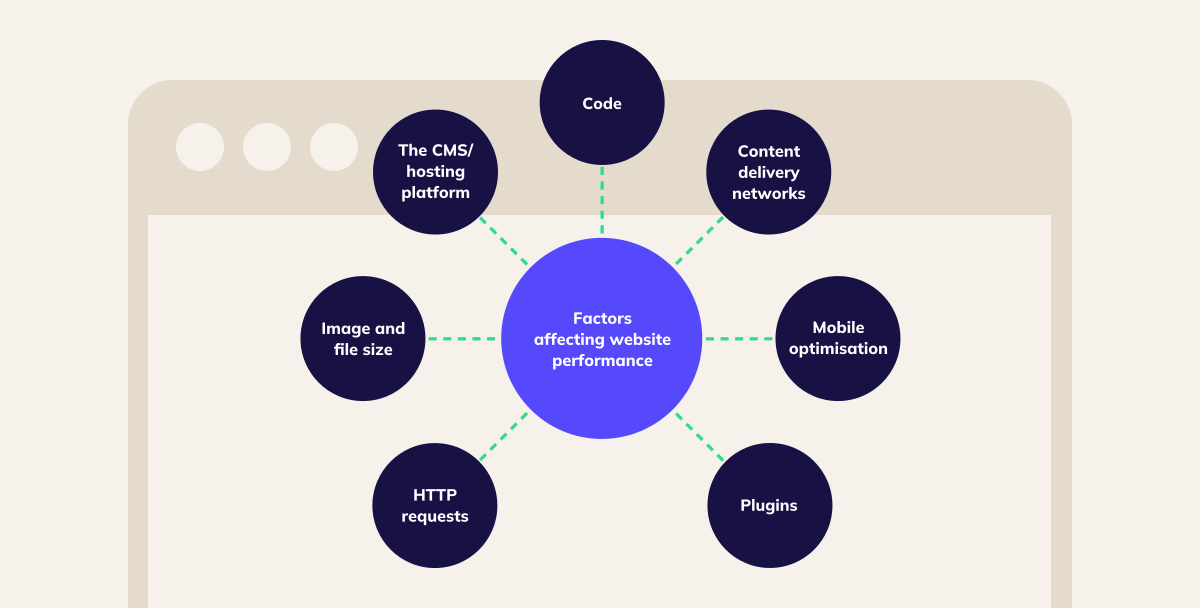
Website performance is affected by server speed, website code, and content size. Optimizing images and code can improve it.
How To Measure Website Performance?
You can measure website performance using tools like Google PageSpeed Insights, GTmetrix, and WebPageTest. These tools provide detailed reports.
Why Is Website Performance Important?
Website performance is crucial for user experience and SEO. Faster websites rank higher on search engines and reduce bounce rates.
How To Improve Website Loading Speed?
Improving website loading speed involves optimizing images, using a content delivery network (CDN), and minimizing CSS and JavaScript files.
Conclusion
Enhancing website performance is crucial. It impacts user experience and SEO rankings. Fast, responsive sites attract and retain visitors. Tools like Akira can help. Envato Market’s Akira Elementor offers customizable, mobile-ready design. Its features support seamless navigation and faster loading times. Invest in a quality theme for better performance and user satisfaction.
Web hosting is the backbone of any website. Picking the right one can boost your site’s performance and reliability.
In this post, we dive into web hosting reviews to help you make an informed decision. With so many web hosting services available, choosing the best one can be overwhelming. Each hosting provider claims to offer the best features and support. But how do you know which one truly delivers? That’s where we come in. We’ll provide you with unbiased reviews of the top web hosting services. You’ll learn about their features, pricing, and customer support. By the end, you’ll have a clear idea of which web host suits your needs. Ready to find the perfect web host? Let’s get started. For those looking to create an online store, the Akira Elementor – Multipurpose Prestashop 1.7 Prestashop 8 Theme might be a perfect choice. It’s a versatile, fast, and highly customizable Prestashop theme. Check it out here.
Introduction To Web Hosting In 2024
The web hosting industry continues to evolve rapidly in 2024. With the growing number of websites, choosing the right web host becomes crucial. This section provides insights into the current web hosting landscape and why selecting the right host matters.
The Importance Of Choosing The Right Web Host
Choosing the right web host is vital for your website’s success. A reliable web host ensures your site is always available to users. It also affects your site’s speed, security, and overall performance.
A good web host offers:
High uptime – Ensures your site is accessible 99.9% of the time.
Fast loading times – Improves user experience and SEO.
Strong security measures – Protects your site from threats.
Responsive customer support – Helps resolve issues quickly.
Investing in a quality web host can save you time and money in the long run. It also helps you avoid potential headaches related to site downtime and security breaches.
Overview Of The Current Web Hosting Landscape
The web hosting landscape in 2024 is diverse and competitive. Various types of hosting services cater to different needs and budgets. Here’s a brief overview:
Type of Hosting
Features
Best For
Shared Hosting
Cost-effective, simple setup, shared resources
Small websites, beginners
VPS Hosting
Dedicated resources, more control, scalable
Growing websites, businesses
Dedicated Hosting
Exclusive server, high performance, full control
Large websites, high-traffic sites
Cloud Hosting
Scalable, reliable, pay-as-you-go
Dynamic websites, scalability needs
Managed Hosting
Hosting management, security updates, backups
Non-technical users, busy professionals
Each hosting type has its pros and cons. Your choice will depend on your specific requirements, budget, and technical expertise. In 2024, many hosts also offer specialized hosting solutions, such as eCommerce hosting, WordPress hosting, and more.
Understanding the current web hosting landscape helps you make an informed decision. This ensures your website runs smoothly and efficiently.
Credit: www.isitwp.com
Key Features Of Top Web Hosting Providers
Choosing the right web hosting provider is crucial for the success of your website. Understanding the key features to look for can help you make an informed decision. Below, we explore the main aspects that distinguish top web hosting providers.
Performance And Uptime
Performance and uptime are critical for any website. The best web hosting providers offer high-speed servers and guarantee 99.9% uptime. This ensures that your site is always available to visitors. A reliable host minimizes downtime and enhances user experience.
Security Features
Security is a top priority for any website owner. Leading web hosting providers offer robust security features such as:
SSL Certificates
Regular Backups
Malware Scanning
Firewall Protection
These features safeguard your data and protect against cyber threats.
Customer Support
Customer support is vital for resolving technical issues quickly. Top hosting providers offer 24/7 support through multiple channels:
Live Chat
Email
Phone
Knowledge Base
Having access to knowledgeable support can save you time and headaches.
Scalability Options
As your website grows, you may need more resources. The best hosting providers offer scalability options such as:
Upgradable Plans
Flexible Storage
Bandwidth Increases
These options allow your website to expand without experiencing performance issues.
Ease Of Use And Control Panels
User-friendly interfaces are important for managing your hosting account. Top providers offer intuitive control panels like cPanel and Plesk. These panels simplify tasks such as:
Domain Management
Email Setup
File Management
Easy-to-use control panels make web hosting accessible even for beginners.
Pricing And Affordability Breakdown
Choosing the right web hosting service involves understanding its cost. This section covers the pricing and affordability of various hosting plans. We will also explore the value for money and hidden costs to watch out for.
It’s important to consider what each plan offers beyond just the price. For instance, the Plus plan provides unlimited websites and storage, making it a great choice for those needing more resources. The Choice Plus plan includes additional features like free domain privacy, offering more value for its price.
The Pro plan, although higher in price, is ideal for high-performance needs. It offers additional features that enhance website speed and security.
Hidden Costs To Watch Out For
While many hosting plans seem affordable, hidden costs can add up. Be aware of the following:
Renewal Rates: The initial low price might increase significantly upon renewal.
Domain Registration: Some plans offer free domain registration for the first year only.
SSL Certificates: Not all plans include SSL certificates beyond the first year.
Backup and Security: Additional fees may apply for automatic backups and advanced security features.
Understanding these hidden costs ensures you make an informed decision without unpleasant surprises later.
Pros And Cons Of Popular Web Hosting Services
Choosing the right web hosting service is crucial for your website’s success. Each type of hosting has its own advantages and disadvantages. Here’s a detailed look at the pros and cons of different web hosting services.
Shared Hosting
Shared hosting is the most common and affordable type of web hosting. It is ideal for small websites and blogs.
Pros
Cons
Low cost
Easy to set up
Good for beginners
Limited resources
Performance can be affected by other sites
Less control over server settings
Vps Hosting
VPS (Virtual Private Server) hosting offers more resources and control compared to shared hosting. It’s suitable for medium-sized websites.
Pros
Cons
More control over the server
Better performance
Scalable resources
Higher cost than shared hosting
Requires some technical knowledge
May need server management
Dedicated Hosting
Dedicated hosting provides an entire server for your website. It is perfect for large websites with high traffic.
Pros
Cons
Full control over the server
High performance
Enhanced security
Very expensive
Requires advanced technical skills
Full responsibility for server management
Cloud Hosting
Cloud hosting uses multiple servers to host your website. It offers flexibility and reliability.
Pros
Cons
Scalable resources
High reliability
Pay-as-you-go pricing
Can be complex to manage
Costs can add up quickly
May require technical expertise
User Reviews And Real-world Usage
Understanding how a web hosting service performs in real-world scenarios is crucial. User reviews offer insights into the day-to-day experiences of different customers. Below, we explore case studies of various businesses, common issues reported by users, and success stories with different hosting providers.
Case Studies Of Different Businesses
Several businesses have shared their experiences with various hosting providers. Let’s take a look at a few case studies:
Business
Hosting Provider
Experience
Fashion Store
Bluehost
Excellent uptime and fast loading times.
Electronics Shop
SiteGround
Great customer support and easy scalability.
Furniture Retailer
HostGator
Affordable pricing and reliable service.
Common Issues Reported By Users
While many users have positive experiences, some common issues are reported:
Downtime: Unexpected downtimes can affect business operations.
Slow Loading Times: Slow websites can lead to poor user experience.
Customer Support: Delayed responses from support teams frustrate users.
Hidden Fees: Some users report unexpected charges.
Success Stories With Various Hosting Providers
Despite some issues, many users have success stories. Here are a few:
Fashion Store: Using Bluehost, they saw a 30% increase in traffic due to better uptime.
Electronics Shop: SiteGround’s scalable options helped them handle peak traffic during sales.
Furniture Retailer: HostGator’s affordable plans allowed them to invest more in marketing.
These examples show how selecting the right hosting provider can significantly impact business success.
Credit: www.linkedin.com
Specific Recommendations For Ideal Users
Choosing the right web hosting service can be overwhelming. To simplify this process, we have divided our recommendations based on specific user needs. Whether you own a small business, an e-commerce site, a personal blog, or a high-traffic website, we have suitable hosting options for you. Let’s dive in.
Best Hosting For Small Businesses
Small businesses need reliable and budget-friendly hosting. Bluehost is an excellent choice. It offers:
Affordable Pricing – Plans start at $2.95/month.
24/7 Customer Support – Available through live chat and phone.
Free Domain Name – For the first year.
Free SSL Certificate – Enhances security for your site.
These features make Bluehost ideal for small business owners.
Best Hosting For E-commerce Sites
For e-commerce sites, SiteGround stands out. It provides:
High Performance – Fast load times and uptime.
Advanced Security – Daily backups and SSL certificates.
Excellent Customer Support – 24/7 assistance via chat, phone, and tickets.
Easy Integration – Compatible with major e-commerce platforms.
These features ensure your online store runs smoothly and securely.
Best Hosting For Personal Blogs
Personal blogs require a simple yet effective hosting solution. HostGator offers:
Cost-Effective Plans – Starting at $2.75/month.
User-Friendly Interface – Easy to navigate and manage.
Reliable Performance – Consistent uptime and speed.
Free Website Builder – Create your blog effortlessly.
These features make HostGator perfect for personal bloggers.
Best Hosting For High-traffic Websites
High-traffic websites need robust hosting solutions. A2 Hosting excels in this area. It provides:
Turbo Servers – Up to 20x faster page loads.
99.9% Uptime Commitment – Ensures your site stays online.
Scalable Plans – Upgrade as your traffic grows.
24/7/365 Customer Support – Available via live chat, phone, and email.
These features make A2 Hosting ideal for high-traffic websites.
Credit: www.pcmag.com
Frequently Asked Questions
What Is The Best Web Hosting Service?
Choosing the best web hosting service depends on your needs. Popular options include Bluehost, SiteGround, and HostGator. Consider factors like uptime, speed, and customer support.
How Much Does Web Hosting Cost?
Web hosting costs vary widely. Shared hosting can start as low as $2. 95 per month. Premium plans can reach $100 or more monthly.
What Is Uptime In Web Hosting?
Uptime refers to the amount of time your website is online and accessible. Good hosting providers offer 99. 9% uptime guarantees.
Why Is Customer Support Important In Web Hosting?
Customer support is crucial for resolving issues quickly. Reliable hosts offer 24/7 support via chat, phone, and email.
Conclusion
Choosing the right web hosting is crucial. It impacts your site’s performance and success. After reviewing various options, consider Akira Elementor – Multipurpose Prestashop Theme. It offers a responsive layout, mega menu, and many customization options. Ideal for fashion, electronics, and more. For more details, check out Akira Multipurpose Prestashop Theme on Envato Market. Your website deserves the best hosting solution. Choose wisely for better results.
Setting up an online store can seem like a big task. With the right tools, it’s manageable.
In today’s digital age, creating an online store is essential for reaching a wider audience. Whether you’re selling fashion, electronics, or furniture, having a robust and user-friendly platform is crucial. That’s where the Akira Elementor theme comes in. Designed for Prestashop 1.7 and 8, this theme offers numerous features to help you build your online store without needing coding skills. From a responsive layout to powerful page builders and easy installation, Akira has it all. Ready to dive into the world of eCommerce? Let’s explore how the right setup can make all the difference. For more details, visit Envato Market.
Credit: dutchuncles.in
Introduction To Online Store Setup
Setting up an online store can be a game-changer for your business. It allows you to reach a broader audience and offers convenience to your customers. With the right tools and guidance, you can create a professional and functional online store.
Why Setting Up An Online Store Is Important
Online shopping has become a norm. Here are some reasons why setting up an online store is crucial:
Wider Reach: An online store allows you to sell to customers globally.
Convenience: Customers can shop anytime, anywhere.
Lower Operational Costs: Running an online store can be cheaper than a physical store.
Customer Insights: You can gather data on customer preferences and behavior.
Who Can Benefit From This Guide
This guide is for:
Small Business Owners: Looking to expand their reach.
Entrepreneurs: Wanting to start a new online business.
Brick-and-Mortar Stores: Planning to go digital.
Freelancers: Interested in selling their products or services online.
Feature
Description
Responsive Layout
Ensures the theme looks great on any device.
Mega Menu
Provides a comprehensive menu for easy navigation.
Page Builder (Elementor)
Allows for easy customization without coding.
Awesome Slider Revolution
Enables dynamic content display.
RTL Support
Supports right-to-left languages.
Using Akira Elementor, a multipurpose Prestashop theme, can make this process easier. Akira is fast, clean, and highly customizable. It caters to various types of shops like fashion, electronics, furniture, and accessories. You can build your website without coding knowledge. Akira is responsive and retina ready, ensuring a great look on any device. Its features include a mega menu, page builder, slider revolution, RTL support, product quick view, and more.
Consider these benefits:
Ease of Use: Build websites quickly without coding skills.
Highly Customizable: Extensive options to personalize your site.
Continuous Updates: Regular updates improve functionality and user experience.
Comprehensive Documentation: Well-documented for easy setup and customization.
Pricing details:
License
Price
Regular License
$69
Extended Support
Additional 6 months for $20.25 (total 12 months for $47.25)
Latest version 2.4.7 includes bug fixes, new features, and module updates. Akira is compatible with Firefox, Safari, Opera, Chrome, and Edge browsers. It supports Prestashop 8.2, 8.1, 8.0, and 1.7.8.x software versions.
Credit: www.bigcommerce.com
Planning Your Online Store
Starting an online store involves careful planning to ensure success. This section will guide you through the initial steps to set up your online store effectively. We’ll cover essential aspects like identifying your niche and target audience and choosing the right products to sell.
Identifying Your Niche And Target Audience
Before setting up your online store, you need to define your niche and target audience. Your niche is the specific segment of the market you want to cater to. To identify your niche:
Analyze market trends and demands.
Consider your interests and expertise.
Research potential competitors.
Once you’ve identified your niche, you need to understand your target audience. This involves gathering information about their demographics, preferences, and shopping behavior. Create buyer personas to represent your ideal customers and tailor your store’s offerings to meet their needs.
Choosing The Right Products To Sell
After defining your niche and target audience, the next step is to choose the right products to sell. Selecting the right products is crucial for the success of your online store. Here are some tips to help you make the right choice:
Identify products that solve a problem or fulfill a need.
Consider products with high demand and low competition.
Evaluate the profit margins and potential for growth.
For instance, if you are setting up a store with a niche in web hosting, you can consider using the Akira Elementor – Multipurpose Prestashop 1.7 Prestashop 8 Theme. This theme is highly customizable, responsive, and designed for various types of shops, making it a versatile choice for your store.
Feature
Details
Responsive Layout
Ensures your store looks great on any device.
Page Builder (Elementor)
Allows easy customization without coding skills.
Product Quick View
Enhances user experience by providing quick product previews.
One Click Installation
Simplifies the setup process for your store.
By carefully planning and selecting the right products, you can create a successful online store that meets the needs of your target audience and stands out in your chosen niche.
Choosing An E-commerce Platform
Setting up an online store starts with selecting the right e-commerce platform. The platform you choose will affect your store’s functionality, design, and overall success. Below, we explore some popular e-commerce platforms and criteria to help you select the best one for your needs.
Popular E-commerce Platforms Overview
Several e-commerce platforms dominate the market, each with unique features.
Shopify: Known for its ease of use and powerful tools for beginners and advanced users alike.
WooCommerce: A flexible, open-source platform that integrates seamlessly with WordPress.
Magento: Suited for larger businesses needing extensive customization and scalability.
BigCommerce: Offers robust features and scalability, ideal for growing businesses.
Prestashop: A cost-effective solution with strong customization options, suitable for a variety of shop types.
Criteria For Selecting The Best Platform
Selecting the best e-commerce platform depends on several factors. Consider the following criteria to make an informed decision:
Ease of Use: Evaluate how user-friendly the platform is, especially if you lack technical skills. Platforms like Shopify and WooCommerce are known for their simplicity.
Customization Options: Look for platforms that offer extensive customization options. For example, Akira Elementor provides numerous templates and widgets for personalization.
Cost: Consider the initial and ongoing costs, including licensing, hosting, and transaction fees. For instance, Akira Elementor offers a regular license at $69.
Scalability: Ensure the platform can grow with your business. Platforms like Magento and BigCommerce are known for their scalability.
Support and Documentation: Check if the platform offers robust support and detailed documentation. Akira Elementor includes six months of support with an option to extend.
SEO Capabilities: A platform with strong SEO features can help your store rank better in search results. Look for features like customizable URLs, meta tags, and sitemaps.
Integrations: Ensure the platform supports integrations with other tools you plan to use, such as payment gateways, marketing tools, and shipping services.
Registering Your Domain And Setting Up Hosting
Setting up an online store can be an exciting journey. One of the first steps is registering your domain and setting up hosting. This part of the process is crucial to ensure your store is accessible and reliable for your customers.
How To Choose And Register A Domain Name
Choosing the right domain name is vital. Your domain name should reflect your brand and be easy to remember. Here are some tips:
Keep it short and simple.
Avoid using numbers and hyphens.
Ensure it is unique and not trademarked by another business.
Choose a .com extension, which is the most common and trusted.
Once you have a name in mind, you can register it through various domain registrars like GoDaddy or Namecheap. The process is straightforward and usually involves:
Searching for your desired domain name.
Checking its availability.
Completing the registration and payment process.
Understanding Different Hosting Options
Hosting is where your online store will live on the internet. There are several types of hosting options, each with its benefits:
Hosting Type
Benefits
Shared Hosting
Cost-effective, suitable for small stores
VPS Hosting
More control and resources, better for medium-sized stores
Dedicated Hosting
Highest performance, ideal for large stores with high traffic
Cloud Hosting
Scalable and flexible, good for stores with varying traffic levels
Choosing the right hosting depends on the size of your store and the expected traffic. For beginners, shared hosting might be sufficient. As your store grows, you can upgrade to VPS or dedicated hosting for better performance.
Remember, a good hosting provider will offer reliable uptime, fast loading speeds, and excellent customer support. Some popular hosting providers include Bluehost, SiteGround, and HostGator.
Setting up hosting usually involves:
Choosing a hosting plan.
Registering for an account.
Linking your domain to the hosting provider.
Installing your preferred eCommerce platform, like Prestashop.
With your domain registered and hosting set up, you’re ready to start building your online store. Tools like the Akira Elementor theme can help you create a stunning, responsive site without coding knowledge. Explore your options and choose what best suits your needs.
https://www.youtube.com/watch?v=jDjvn_6qso8
Designing Your Online Store
Designing your online store is a critical step in building a successful ecommerce business. A well-designed store not only attracts customers but also enhances their shopping experience. Focus on simplicity, usability, and aesthetics to create an engaging and effective online store.
Selecting And Customizing A Theme
The first step in designing your online store is selecting an appropriate theme. Choose a theme that aligns with your brand and caters to your target audience. The Akira Elementor – Multipurpose Prestashop 1.7 Prestashop 8 Theme available on Envato Market is a great choice. It offers a fast, clean, and highly customizable design suitable for various types of shops.
Responsive Layout: Ensures your store looks great on any device.
Page Builder (Elementor): Allows easy customization without coding.
Product Quick View: Enhances user experience by providing product details quickly.
Easy One Click Installation: Simplifies the setup process.
After selecting your theme, customize it to reflect your brand’s identity. Use the theme options to modify headers, footers, and other elements. Regular updates and new features improve functionality and user experience.
Ensuring Mobile Responsiveness
With an increasing number of users shopping on mobile devices, ensuring mobile responsiveness is crucial. The Akira theme is fully responsive and retina ready, making it a perfect choice for a seamless mobile experience. Mobile responsiveness helps in improving user experience and can significantly impact your store’s success.
Feature
Benefit
Responsive Layout
Provides a consistent look on all devices.
Mobile Version Ready
Optimizes performance on mobile devices.
Product Video Support
Enhances product presentation on mobile screens.
Ensure your theme provides a great user experience on both desktop and mobile devices. Test your store on various devices to make sure it functions smoothly everywhere.
Setting Up Product Listings
Setting up product listings is a crucial part of launching your online store. Properly crafted product listings can attract customers, improve search engine ranking, and boost sales. Let’s explore how to create effective product descriptions and use high-quality images and videos to make your products stand out.
Creating Effective Product Descriptions
Effective product descriptions should be clear, concise, and informative. They must highlight the key features and benefits of the product.
Focus on Benefits: Explain how the product solves a problem or improves the customer’s life.
Use Bullet Points: List features in bullet points for easy reading.
Include Keywords: Use relevant keywords to improve search engine visibility.
Akira is a fast, clean, and highly customizable Prestashop theme. It’s perfect for fashion, electronics, furniture, and accessories shops.
Main Features:
Responsive Layout
Mega Menu
Page Builder (Elementor)
Slider Revolution
RTL Support
Product Quick View
Ajax Search, Cart, and Product Filter
Easy One Click Installation
Benefits:
Fully Responsive and Retina Ready
Highly Customizable
Ease of Use
Continuous Updates
Comprehensive Documentation
Using High-quality Images And Videos
High-quality images and videos are essential for attracting customers and increasing conversions.
Use High-Resolution Images: Ensure images are clear and show the product from multiple angles.
Include Videos: Product videos can provide a more detailed view and enhance user experience.
Optimize for Speed: Compress images and videos to reduce loading times without compromising quality.
For Akira Elementor theme, you can include images of:
The responsive layout on different devices.
The Mega Menu and Page Builder in action.
Product quick view and Ajax features.
Remember, high-quality visuals can significantly impact the customer’s decision to purchase.
Configuring Payment And Shipping Options
Setting up payment and shipping options is crucial for your online store. These settings ensure smooth transactions and timely deliveries. Let’s dive into the details of configuring these options effectively.
Integrating Payment Gateways
Integrating payment gateways allows your customers to pay securely. Here’s how you can integrate payment gateways:
Choose a reliable payment gateway provider such as PayPal, Stripe, or Square.
Create an account with the chosen provider.
Obtain the necessary API keys from the provider’s dashboard.
Navigate to your store’s admin panel and find the payment settings section.
Enter the API keys and configure the settings as per your requirements.
Test the payment gateway to ensure it works correctly.
Popular payment gateways often provide detailed documentation to guide you through the integration process. Make sure to enable multiple payment options to cater to different customer preferences.
Setting Up Shipping Methods And Rates
Setting up shipping methods and rates ensures your customers receive their orders promptly. Follow these steps to configure shipping:
Go to your store’s shipping settings in the admin panel.
Add different shipping methods such as standard, express, and international shipping.
Define shipping rates based on weight, destination, and delivery speed.
Configure free shipping options for orders above a certain amount.
Integrate with popular shipping carriers like UPS, FedEx, or DHL for real-time rate calculations.
Enable tracking options to keep your customers informed about their order status.
Providing accurate shipping rates and multiple shipping options can enhance the customer experience. It is also beneficial to display estimated delivery times at checkout.
By carefully configuring your payment and shipping options, you ensure a seamless shopping experience for your customers. This can lead to increased sales and customer satisfaction.
Credit: www.data4amazon.com
Implementing Seo And Marketing Strategies
Setting up an online store involves more than just having a functional website. To attract visitors and turn them into customers, you need to implement effective SEO and marketing strategies. This section will guide you through the basics of SEO techniques for online stores and effective online marketing tactics.
Basic Seo Techniques For Online Stores
Search Engine Optimization (SEO) is essential for improving your store’s visibility on search engines. Here are some basic SEO techniques:
Keyword Research: Identify and use relevant keywords in your product descriptions and meta tags.
Quality Content: Provide informative and engaging content for your products and blog posts.
Mobile Optimization: Ensure your site is mobile-friendly. Akira Elementor theme is fully responsive, making it easier to achieve this.
Page Speed: Optimize your site for fast loading times. Akira’s clean and fast design helps with this.
Alt Text for Images: Use descriptive alt text for all images to improve search engine indexing.
Effective Online Marketing Tactics
Marketing your online store effectively is key to driving traffic and sales. Here are some tactics to consider:
Email Marketing: Build an email list and send regular newsletters and promotions.
Social Media Marketing: Use social media platforms to promote your products and engage with customers.
Pay-Per-Click Advertising (PPC): Invest in PPC campaigns to drive targeted traffic to your store.
Content Marketing: Create valuable content like blog posts, videos, and infographics related to your products.
Influencer Marketing: Partner with influencers to reach a wider audience.
The Akira Elementor theme supports various marketing features. These include product video support, mega menus, and an awesome slider revolution, enhancing user engagement and improving the shopping experience.
Implementing these SEO and marketing strategies will help you drive more traffic to your online store. The Akira Elementor theme, with its powerful features, can help you optimize your store for better performance and user experience.
Testing And Launching Your Online Store
Launching your online store is an exciting step. Ensuring a smooth experience for your customers is crucial. Before you go live, thorough testing is essential. Follow these steps to ensure everything runs seamlessly.
Pre-launch Testing Checklist
Functionality Testing: Verify all links, forms, and buttons work properly.
Browser Compatibility: Ensure your store looks great on Firefox, Safari, Opera, Chrome, and Edge.
Mobile Responsiveness: Check your site on various devices to confirm it is mobile-friendly.
Load Time: Test the site’s speed to ensure quick loading times.
Security Checks: Ensure SSL certificates are installed and functional.
Payment Gateway: Test all payment methods to ensure they work correctly.
SEO Readiness: Verify meta tags, descriptions, and keywords are correctly set up.
Content Review: Check for spelling errors and ensure all content is accurate.
Strategies For A Successful Launch
Soft Launch: Start with a soft launch to a small group to gather feedback.
Marketing Campaign: Plan a marketing campaign to create buzz around your launch.
Social Media Promotion: Use social media platforms to promote your store.
Email Marketing: Notify your existing customers about the new store through emails.
Launch Event: Consider hosting a virtual event to celebrate the launch.
Customer Support: Ensure customer support is ready to handle queries.
Monitor Performance: Keep an eye on analytics to track visitor behavior and performance.
Using a theme like Akira Elementor from Envato Market can simplify the setup process. With features like responsive layout, mega menu, and easy one-click installation, Akira ensures a seamless experience. It is compatible with various browsers and supports multiple devices, making it a reliable choice for your online store.
To learn more about Akira Elementor, visit the Envato Market and explore its extensive features and customization options.
Maintaining And Growing Your Online Store
After setting up your online store, the next step is to maintain and grow it. Regular maintenance and strategic growth are crucial for long-term success. Here, we will explore how to monitor performance, scale your business, and expand your product range effectively.
Monitoring Performance And Analytics
Tracking the performance of your online store helps you understand what works and what needs improvement. Use tools like Google Analytics to monitor traffic, conversion rates, and customer behavior. Focus on key metrics:
Traffic Sources: Identify where your visitors come from.
Conversion Rates: Measure the percentage of visitors who make a purchase.
Customer Retention: Track repeat purchases and customer loyalty.
Average Order Value: Calculate the average amount spent per order.
Regularly review these metrics to make data-driven decisions. Analyze trends and adjust your marketing strategies accordingly. Use A/B testing to find the most effective techniques for your audience.
Scaling Your Business And Expanding Product Range
Scaling your business involves increasing your capacity to handle more customers and sales. Consider these strategies:
Optimize Inventory Management: Ensure you have sufficient stock for high-demand products.
Improve Website Performance: Enhance loading speeds and mobile compatibility. Akira Elementor offers responsive design and mobile version readiness.
Enhance Customer Experience: Use features like Product Quick View and Ajax Search to improve user experience.
Automate Processes: Implement tools to automate order processing, customer service, and marketing.
Expanding your product range can attract new customers and increase sales. Follow these steps:
Market Research: Identify trending products and customer needs.
Supplier Relationships: Build strong relationships with reliable suppliers for quality products.
Product Testing: Test new products before adding them to your inventory.
Marketing Campaigns: Promote new products through targeted marketing campaigns.
With Akira Elementor, you can easily add new products and customize your site to showcase them effectively. Utilize the Page Builder and Theme Options to create attractive product pages.
Maintaining and growing your online store requires continuous effort and strategic planning. By monitoring performance and scaling your business, you can achieve sustainable growth and success.
Common Challenges And How To Overcome Them
Setting up an online store is exciting yet challenging. Many obstacles can arise, but understanding and addressing them can help ensure a smooth experience. Below, we discuss some common challenges and solutions.
Technical Issues And Solutions
Technical problems are a major hurdle in online store setup. These can range from website crashes to slow loading times. Using a robust theme like Akira Elementor – Multipurpose Prestashop 1.7 Prestashop 8 Theme can mitigate these issues.
Responsive Layout: Ensures your store works well on all devices.
Page Builder (Elementor): Allows easy customization without coding.
Easy One Click Installation: Simplifies the setup process.
If you face specific technical challenges, refer to the comprehensive documentation provided with the theme. Regular updates also help fix bugs and improve compatibility.
Issue
Solution
Slow Load Times
Use a responsive theme and optimize images.
Website Crashes
Ensure hosting compatibility and update themes/plugins.
Customer Service And Handling Returns
Providing excellent customer service and managing returns can be challenging. It is crucial to establish clear policies and efficient processes.
Envato’s Standard Refund Policy Applies: Ensure customers know refund conditions.
Support: Offer prompt and helpful support. Akira theme includes 6 months of support, extendable to 12 months.
Clear communication and transparency build trust and improve customer satisfaction. Having a well-documented return policy on your site can also help manage expectations and reduce disputes.
By addressing these common challenges, you can create a smooth and efficient online store setup, ultimately leading to a better customer experience and increased sales.
Frequently Asked Questions
How Do I Start An Online Store?
Starting an online store involves choosing a platform, selecting a niche, and setting up product listings. Ensure your website is user-friendly. Integrate secure payment methods and plan your marketing strategy. Regularly update your inventory and engage with customers.
What Platform Should I Use?
Choosing the right platform depends on your needs. Popular options include Shopify, WooCommerce, and BigCommerce. Each platform offers unique features. Compare them based on pricing, ease of use, and scalability. Ensure the platform supports your business goals and growth.
How Much Does It Cost To Set Up An Online Store?
The cost varies based on the platform and features. Basic plans start from $29 per month. Additional costs may include domain registration, themes, plugins, and marketing. Budget for initial setup and ongoing expenses. Investing wisely can lead to higher returns.
What Products Should I Sell Online?
Choose products based on market demand, trends, and your interests. Conduct market research to identify profitable niches. Consider factors like competition, supplier reliability, and profit margins. Offering unique or high-demand products can attract more customers and boost sales.
Conclusion
Setting up an online store can be challenging but rewarding. With the right tools, your online store will thrive. Consider using the Akira Multipurpose Prestashop theme. It’s user-friendly, customizable, and responsive. Perfect for various shop types. For more details, visit the Envato Market. Embrace the journey and watch your online business grow. Happy selling!
Finding the best hosting providers can be a daunting task. With so many options, it’s tough to know where to start.
Choosing the right hosting provider is crucial for your website’s performance and security. Good hosting ensures your site is fast, reliable, and secure. Whether you run a personal blog or an online store, the right hosting can make a big difference. In this guide, we’ll explore top hosting providers to help you make an informed choice. We’ll look at features, pricing, and support, giving you a clear idea of what to expect. So, if you’re ready to find the perfect hosting provider, keep reading! Check out Akira Elementor – Multipurpose Prestashop 1.7 Prestashop 8 Theme on Envato Market for a powerful and customizable theme to enhance your site.
Credit: www.linkedin.com
Introduction To Hosting Providers
Choosing the right hosting provider is crucial for your website’s success. It ensures your site is fast, secure, and always available. Let’s explore why selecting the best hosting provider is vital and the key criteria to consider.
The Importance Of Choosing The Right Hosting Provider
The hosting provider you choose impacts your website’s performance and reliability. A good provider ensures:
Uptime: Your site remains accessible to visitors.
Speed: Fast loading times improve user experience and SEO rankings.
Security: Protection against cyber threats and data breaches.
Support: Access to technical assistance when needed.
Investing in a quality hosting provider can save time and prevent potential issues.
Criteria For Selecting Reliable And Affordable Hosting
When choosing a hosting provider, consider the following criteria:
Pricing: Compare costs and ensure they fit your budget.
Performance: Look for fast servers and high uptime guarantees.
Scalability: Ensure the provider can grow with your website.
Customer Support: 24/7 support is essential for resolving issues quickly.
Security Features: Check for SSL certificates, DDoS protection, and regular backups.
User Reviews: Read reviews to gauge customer satisfaction.
Following these criteria will help you find a hosting provider that meets your needs.
Credit: blog.templatetoaster.com
Key Features To Look For In Hosting Providers
Choosing the best hosting provider is crucial for your website’s performance and success. Here are the key features to consider when selecting a hosting provider to ensure you make an informed decision.
Uptime And Reliability
Uptime is the amount of time your website is accessible to users. High uptime is critical for maintaining the availability of your site. Look for providers offering at least 99.9% uptime. Reliable hosting ensures your site remains online, minimizing disruptions and potential loss of traffic.
Speed And Performance
Speed and performance impact user experience and SEO. Choose a provider that offers fast load times and uses SSD storage for better performance. CDNs (Content Delivery Networks) can also improve load speeds by distributing content closer to users.
Customer Support
Good customer support can save you time and frustration. Look for providers with 24/7 support via live chat, phone, or email. Check reviews to see how responsive and helpful their support team is. Strong support ensures that any issues are resolved quickly.
Scalability Options
Your hosting needs may grow as your website expands. Ensure the provider offers scalable plans that allow for easy upgrades. This flexibility helps you manage increased traffic and resource demands without switching providers.
Security Features
Security is vital for protecting your site and user data. Look for hosting providers with SSL certificates, DDoS protection, and regular backups. Secure hosting safeguards your site against threats and ensures data integrity.
Top 10 Hosting Providers
Choosing the best hosting provider can be daunting with so many options available. Here, we outline the top 10 hosting providers, highlighting their key features to help you make an informed decision.
Provider 1: Overview And Key Features
Provider 1 offers reliable and high-speed hosting services. Key features include:
99.9% Uptime Guarantee
24/7 Customer Support
Free SSL Certificate
Unlimited Bandwidth
Provider 2: Overview And Key Features
Provider 2 is known for its user-friendly interface and affordability. Key features include:
Easy-to-Use Control Panel
Free Website Migration
One-Click WordPress Installation
24/7 Technical Support
Provider 3: Overview And Key Features
Provider 3 provides excellent performance and security. Key features include:
Enhanced Security Features
Daily Backups
Fast Load Times
Global Data Centers
Provider 4: Overview And Key Features
Provider 4 is ideal for beginners and small businesses. Key features include:
Affordable Pricing
User-Friendly Dashboard
Free Domain for the First Year
24/7 Live Chat Support
Provider 5: Overview And Key Features
Provider 5 offers scalable solutions for growing businesses. Key features include:
Scalable Hosting Plans
Advanced Security Options
24/7 Customer Support
Free CDN Integration
Provider 6: Overview And Key Features
Provider 6 provides high-speed and reliable hosting services. Key features include:
Lightning-Fast Load Times
Free SSL and Domain
One-Click Installations
24/7 Expert Support
Provider 7: Overview And Key Features
Provider 7 is known for its robust security and performance. Key features include:
Advanced DDoS Protection
Daily Backups
Global CDN
24/7 Support
Provider 8: Overview And Key Features
Provider 8 offers flexible and affordable hosting plans. Key features include:
Flexible Pricing Plans
Free Site Migration
24/7 Customer Support
Free SSL Certificates
Provider 9: Overview And Key Features
Provider 9 is designed for developers and advanced users. Key features include:
Developer-Friendly Tools
Customizable Plans
Free Daily Backups
24/7 Expert Support
Provider 10: Overview And Key Features
Provider 10 offers premium hosting solutions for large businesses. Key features include:
High Performance and Reliability
Advanced Security Measures
24/7 Priority Support
Free Domain and SSL
Pricing And Affordability
Choosing the right hosting provider involves evaluating pricing and affordability. This section will help you understand how different providers stack up in terms of cost and value.
Comparison Of Pricing Plans
Hosting Provider
Basic Plan
Standard Plan
Premium Plan
Provider A
$2.95/month
$5.95/month
$11.95/month
Provider B
$3.99/month
$6.99/month
$13.99/month
Provider C
$4.50/month
$8.50/month
$15.00/month
Each hosting provider offers different pricing tiers to suit various needs. The table above highlights the monthly costs for basic, standard, and premium plans.
Value For Money Analysis
While pricing is important, it’s crucial to consider what you get for your money. Let’s analyze the value for money each provider offers:
Provider A: Known for its reliability and 24/7 customer support. The basic plan includes free domain registration and SSL certificate.
Provider B: Offers unlimited bandwidth and storage even in its basic plan. It also provides a free website builder.
Provider C: Focuses on performance with SSD storage and enhanced security features. Premium plans include priority support.
When considering value for money, think about the features included in each plan. Free domain, SSL certificates, and customer support can significantly affect the overall value.
In summary, while Provider A offers competitive pricing, Provider B provides more storage and bandwidth. Provider C emphasizes performance and security, making it a great option for those seeking robust features.
Pros And Cons Of Each Hosting Provider
Choosing the right hosting provider is crucial for your website’s performance, security, and reliability. In this section, we will explore the pros and cons of the top 10 hosting providers, helping you make an informed decision.
Provider 1: Pros And Cons
Pros
Cons
High uptime guarantee
24/7 customer support
Affordable pricing plans
Limited storage on basic plans
No free domain
Provider 2: Pros And Cons
Pros
Cons
Free SSL certificates
Easy-to-use control panel
Money-back guarantee
Higher renewal rates
Limited customer support hours
Provider 3: Pros And Cons
Pros
Cons
Fast loading speeds
Free daily backups
Scalable plans
Expensive compared to others
Complex setup for beginners
Provider 4: Pros And Cons
Pros
Cons
Unlimited bandwidth
Free website migration
Excellent security features
Limited to one website on basic plan
Occasional downtime issues
Provider 5: Pros And Cons
Pros
Cons
Free domain for the first year
User-friendly interface
Robust security measures
No automated backups
Basic plan lacks advanced features
Provider 6: Pros And Cons
Pros
Cons
Excellent customer support
High performance and speed
Free CDN included
Higher cost for premium plans
Steeper learning curve
Provider 7: Pros And Cons
Pros
Cons
Free website builder
Regular updates and maintenance
Multiple data centers
Limited storage on entry plans
No free email accounts
Provider 8: Pros And Cons
Pros
Cons
Competitive pricing
Free site migration
24/7 support
Occasional speed issues
Limited advanced features
Provider 9: Pros And Cons
Pros
Cons
High uptime rate
Free backups and restores
User-friendly interface
Higher cost for renewals
Basic plan lacks some features
Provider 10: Pros And Cons
Pros
Cons
Daily backups
Excellent customer service
Free SSL certificates
Expensive compared to others
Limited storage on basic plans
Recommendations For Ideal Users Or Scenarios
Choosing the right hosting provider can be a daunting task. Each business or personal project has unique needs. This section provides recommendations for the best hosting providers based on different user scenarios. Whether you run a small business, an e-commerce site, a personal blog, or a high-traffic website, there is a suitable hosting solution for you.
Best For Small Businesses
Small businesses often need reliable hosting with good support. Bluehost is a great option for small businesses. It offers:
Affordable pricing
24/7 customer support
Free domain for the first year
Free SSL certificate
These features help small businesses establish an online presence without breaking the bank.
Best For E-commerce Sites
For e-commerce sites, SiteGround stands out. It provides:
Fast loading speeds
Enhanced security features
24/7 support
Daily backups
These features ensure that your online store runs smoothly and securely.
Best For Personal Blogs
Personal bloggers need a user-friendly platform. WordPress.com is ideal for this purpose. It offers:
Easy-to-use interface
Free themes and plugins
Basic SEO tools
Community support
These features make it easy for bloggers to start and manage their blogs.
Best For High-traffic Websites
High-traffic websites require robust hosting solutions. Kinsta is a top choice for such needs. It provides:
High-performance servers
Automatic scaling
Advanced security measures
24/7 expert support
These features ensure that high-traffic websites remain stable and secure.
Best For Tech-savvy Users
Tech-savvy users often prefer more control over their hosting environment. DigitalOcean is perfect for them. It offers:
Customizable cloud hosting
Scalable infrastructure
Developer-friendly tools
Comprehensive documentation
These features provide tech-savvy users with the flexibility and control they need.
Credit: scandiweb.com
Frequently Asked Questions
What Is The Best Hosting Provider For Beginners?
For beginners, Bluehost is highly recommended. It offers user-friendly interfaces, excellent customer support, and affordable pricing.
Which Hosting Provider Offers The Best Uptime?
SiteGround is known for its exceptional uptime performance. It ensures your website remains accessible with minimal downtime.
Are There Hosting Providers With Free Ssl Certificates?
Yes, many hosting providers like HostGator and A2 Hosting offer free SSL certificates with their plans.
Do Hosting Providers Offer Website Migration Services?
Yes, many hosting providers such as Bluehost and SiteGround offer free website migration services to help you transfer your site.
Conclusion
Choosing the right hosting provider is crucial for your website’s success. Make sure to consider your specific needs and budget. Reliable hosting ensures your site runs smoothly and securely. For a versatile and powerful Prestashop theme, try Akira Elementor. It’s fast, clean, and highly customizable. Learn more about it here. Make an informed choice and watch your online presence grow.
In today’s digital age, secure hosting is not just a luxury; it’s a necessity. Whether you run a small blog or a large e-commerce site, protecting your data and ensuring reliable service is crucial.
Secure hosting refers to web hosting services that prioritize security features to protect websites from cyber threats. Think of it as a fortified home for your website, where your data is safe from hackers and other malicious activities. With an increasing number of cyber attacks, choosing a secure hosting service becomes even more important. Your website’s security can affect not only your peace of mind but also your business reputation and customer trust. Ready to take your website’s security seriously? Check out the Akira Elementor – Multipurpose Prestashop 1.7 Prestashop 8 Theme on Envato Market. This theme offers robust security features along with a highly customizable design, making it a perfect choice for your secure hosting needs.
Introduction To Secure Hosting
In the digital age, the security of your website is paramount. With cyber threats on the rise, ensuring your site is secure is crucial. This is where secure hosting comes into play. Let’s explore what secure hosting is and why it is essential for your website.
What Is Secure Hosting?
Secure hosting refers to web hosting services that offer advanced security features. These features protect your website from cyber threats, data breaches, and other online vulnerabilities. Secure hosting includes SSL certificates, firewalls, and regular security updates. It ensures your website’s data remains safe and accessible only to authorized users.
Why Is Secure Hosting Important For Your Website?
Secure hosting is vital for several reasons:
Data Protection: Ensures your website’s data is safe from hackers.
Trust: Builds trust with your visitors, knowing their information is secure.
SEO Benefits: Search engines favor secure websites, improving your rankings.
Compliance: Helps you meet data protection regulations and standards.
Choosing a secure hosting provider enhances your website’s performance and reliability. It prevents downtime caused by cyber attacks and ensures a seamless user experience. Opt for a hosting service with robust security measures to keep your site safe and secure.
Key Features Of Secure Hosting
Secure hosting is essential for any online presence. It ensures that your website remains protected from various threats and offers a safe experience for your users. Below are the key features of secure hosting that you should consider.
Ssl Certificates: Ensuring Data Encryption
SSL Certificates are crucial for encrypting data transmitted between your website and its visitors. This encryption ensures that sensitive information, such as credit card details and personal data, remains secure from prying eyes. Websites with SSL certificates display a padlock icon in the browser’s address bar, instilling trust in users.
Firewall Protection: Blocking Unwanted Traffic
A robust firewall protection is necessary to block unwanted traffic and prevent unauthorized access to your website. Firewalls act as a barrier between your server and potential threats, filtering out malicious traffic and ensuring that only legitimate users can access your site.
Ddos Protection: Guarding Against Attacks
DDoS protection is vital for defending your website against Distributed Denial of Service attacks. These attacks can overwhelm your server with excessive traffic, causing your site to become slow or unavailable. With proper DDoS protection, your hosting provider can detect and mitigate these attacks, ensuring your site remains accessible.
Regular Backups: Safeguarding Your Data
Regular backups are essential for safeguarding your data. In the event of data loss or corruption, having up-to-date backups ensures that you can quickly restore your website to its previous state. Look for hosting providers that offer automated backups on a daily, weekly, or monthly basis.
Secure Data Centers: Physical And Virtual Security Measures
Secure data centers provide both physical and virtual security measures to protect your website. Physical security includes measures like surveillance cameras, security personnel, and access control systems to prevent unauthorized entry. Virtual security involves advanced technologies such as encryption, intrusion detection systems, and regular security audits to protect your data from cyber threats.
Choosing The Right Secure Hosting Provider
Choosing the right secure hosting provider is crucial for maintaining the safety and performance of your website. A secure hosting provider ensures your data is protected, your site remains online, and your visitors have a seamless experience. Here are key factors to consider.
Evaluating Security Certifications And Standards
Security certifications and standards indicate a hosting provider’s commitment to security. Look for providers with ISO 27001, PCI-DSS, or SSL/TLS certifications. These certifications ensure the provider follows best practices in data protection.
Also, check if the provider complies with GDPR or other regional data protection regulations. This ensures your website meets legal requirements and maintains user trust.
Assessing Customer Support And Responsiveness
Responsive customer support is vital for addressing issues quickly. Look for providers offering 24/7 support through multiple channels like chat, email, and phone. This ensures you can get help whenever needed.
Assess the provider’s response time and expertise by reading reviews or contacting their support team with pre-sale questions. Good customer support can minimize downtime and resolve security issues promptly.
Checking For Comprehensive Security Tools And Services
A secure hosting provider should offer comprehensive security tools and services. Look for features like firewalls, malware scanning, DDoS protection, and regular backups. These tools help prevent attacks and ensure data recovery in case of breaches.
Additional security services like SSL certificates, two-factor authentication, and intrusion detection systems further enhance your website’s security.
Feature
Description
ISO 27001
International standard for information security management.
PCI-DSS
Security standard for handling card transactions.
SSL/TLS
Protocols for encrypting data transmitted over the web.
GDPR Compliance
Adherence to the General Data Protection Regulation.
24/7 Support
Round-the-clock customer support availability.
Firewalls
Network security systems that monitor and control incoming and outgoing traffic.
Malware Scanning
Tools to detect and remove malicious software.
DDoS Protection
Measures to protect against Distributed Denial of Service attacks.
Regular Backups
Frequent copies of data to prevent data loss.
SSL Certificates
Digital certificates that authenticate the website’s identity and enable encrypted connections.
Two-Factor Authentication
Security process requiring two forms of identification.
Intrusion Detection Systems
Tools that monitor network traffic for suspicious activity.
By evaluating these factors, you can choose a secure hosting provider that ensures the safety and performance of your website.
Credit: cnpintegrations.com
Pricing And Affordability Of Secure Hosting
Choosing secure hosting is crucial for your website’s safety. But, it’s also important to consider pricing and affordability. Finding the right balance between cost and security can be challenging. Let’s explore the key aspects to help you make an informed decision.
Comparing Costs Across Different Providers
Costs for secure hosting vary widely among different providers. Here’s a comparison of some popular options:
Provider
Basic Plan
Standard Plan
Premium Plan
Provider A
$5/month
$10/month
$20/month
Provider B
$7/month
$15/month
$25/month
Provider C
$6/month
$12/month
$22/month
As seen above, prices differ based on the features offered. It’s important to look beyond the cost and consider what each plan includes.
Value For Money: Balancing Security And Budget
While comparing costs, consider the value for money each provider offers. It’s essential to balance security features with your budget:
Basic Plan: Suitable for small websites with minimal traffic.
Standard Plan: Ideal for growing sites needing more security.
Premium Plan: Best for high-traffic sites requiring advanced features.
Look for plans that include SSL certificates, DDoS protection, and regular backups. These features ensure your website stays secure without breaking the bank.
Hidden Costs To Watch Out For
Be aware of potential hidden costs that could inflate your hosting expenses:
Renewal Rates: Initial prices may be low, but renewal rates often increase.
Additional Services: Some providers charge extra for features like backups or SSL certificates.
Support Fees: Premium support might come at an additional cost.
Read the fine print and understand all possible charges before committing to a hosting provider. This will help you avoid unexpected costs and ensure you get the best deal.
https://www.youtube.com/watch?v=_nKUSgYzPJY
Pros And Cons Of Secure Hosting
Secure hosting provides a robust environment for your website, ensuring data safety and reliability. It comes with several advantages and disadvantages. Understanding these can help you make an informed decision.
Advantages: Enhanced Security And Peace Of Mind
Secure hosting offers multiple layers of protection against threats. These include:
Advanced Firewalls: Protects against unauthorized access.
Encryption: Safeguards data in transit and at rest.
Regular Backups: Ensures data recovery in case of loss.
With these features, you can focus on growing your business without worrying about security breaches. Knowing your website is protected brings peace of mind.
Disadvantages: Potential Higher Costs And Complexity
While secure hosting offers many benefits, there are some drawbacks to consider. These include:
Higher Costs: Advanced security features can increase hosting costs.
Complexity: Setting up and managing security features can be challenging.
For businesses with limited budgets, the costs may be a concern. Additionally, the technical expertise required to manage secure hosting can add to the complexity.
Weighing these pros and cons can help you decide if secure hosting is right for your needs.
Feature
Benefits
Drawbacks
Advanced Firewalls
Protects against unauthorized access
May increase costs
Encryption
Safeguards data
Requires technical expertise
Regular Backups
Ensures data recovery
Can be complex to manage
Credit: www.cloudways.com
Ideal Users And Scenarios For Secure Hosting
Secure hosting is a critical aspect for various types of websites and online platforms. It ensures the protection of sensitive data, maintains continuous availability, and prevents downtime. Below are some ideal users and scenarios where secure hosting proves invaluable.
E-commerce Websites: Protecting Customer Data
E-commerce websites handle a significant amount of customer data, including payment information and personal details. Secure hosting is essential to protect this sensitive data from cyber threats. Akira Elementor, a versatile Prestashop theme, offers robust security features that are ideal for e-commerce platforms.
SSL Certificates: Encrypt data transmitted between the server and the user.
Secure Payment Gateways: Ensure transactions are safe and secure.
Regular Security Updates: Keep the website protected against the latest threats.
Business Websites: Ensuring Continuous Availability
Business websites need to ensure that their services are always available to clients and customers. Secure hosting guarantees high uptime and reliability. Akira Elementor provides features that enhance the stability of business websites.
Feature
Description
Responsive Layout
Ensures the site is accessible on all devices.
Mega Menu
Improves navigation and user experience.
Page Builder
Allows easy customization without coding skills.
High-traffic Blogs And Forums: Preventing Downtime
High-traffic blogs and forums often experience large volumes of visitors. Secure hosting helps prevent downtime, ensuring the site remains accessible. Akira Elementor’s features cater well to these needs.
Scalable Hosting: Accommodate increasing traffic without compromising performance.
Content Delivery Networks (CDNs): Speed up content delivery across the globe.
Regular Backups: Safeguard data against unexpected failures.
By leveraging secure hosting solutions, e-commerce websites, business websites, and high-traffic blogs can ensure data protection, continuous availability, and minimal downtime. Akira Elementor on Envato Market offers a comprehensive solution tailored to these needs.
Conclusion: Making The Decision For Secure Hosting
Choosing secure hosting is crucial for any website owner. It safeguards your site, protects user data, and ensures a smooth user experience. Let’s explore the benefits and recommendations for secure hosting.
Summarizing The Benefits Of Secure Hosting
Enhanced Security: Protects against cyber threats and data breaches.
Improved Performance: Ensures faster loading times and better user experience.
Data Protection: Safeguards sensitive user information with encryption.
SEO Benefits: Search engines favor secure websites, improving your ranking.
Trust and Credibility: Secure sites build trust with users, increasing conversions.
Final Recommendations For Website Owners
When selecting a secure hosting provider, consider the following:
SSL Certificates: Ensure the provider offers SSL certificates to encrypt data.
Regular Backups: Choose a host that performs regular backups to prevent data loss.
Firewall Protection: Look for hosts that provide robust firewall protection.
24/7 Support: Opt for providers with reliable customer support available round the clock.
Scalability: Select a host that can grow with your website’s needs.
Provides reliable customer service round the clock.
Scalability
Grows with your website’s needs.
Making the decision for secure hosting means investing in your website’s future. Choose wisely and ensure your site remains safe, reliable, and trustworthy.
Credit: wpsutra.com
Frequently Asked Questions
What Is Secure Hosting?
Secure hosting refers to web hosting services that prioritize the protection of websites from cyber threats. It ensures data integrity and privacy.
Why Is Secure Hosting Important?
Secure hosting is crucial because it protects websites from hacking, data breaches, and cyber attacks. It ensures user trust and compliance.
How Does Ssl Improve Security?
SSL encrypts data transferred between users and the server. It prevents unauthorized access and ensures secure transactions.
What Features Should Secure Hosting Include?
Secure hosting should include SSL certificates, regular backups, malware scanning, and firewalls. These features help protect your website.
Conclusion
Choosing secure hosting is critical for a successful website. With the right hosting, you ensure safety, performance, and reliability. For those building an online store, consider Akira Elementor. It’s versatile, fast, and user-friendly. It offers a responsive layout, mega menu, and easy installation. This theme suits various shops and ensures a great user experience. Secure hosting with reliable themes like Akira can elevate your website’s potential. Invest in quality hosting and themes for lasting success.
Web hosting deals are essential for anyone looking to launch or upgrade a website. Finding the right deal can save you money and offer excellent features.
In today’s digital age, having a reliable web host is vital for any online business or personal site. Choosing the right web hosting deal can be overwhelming with so many options available. From shared hosting to dedicated servers, each type offers unique benefits. The good news is that there are fantastic deals that cater to various needs and budgets. One such product is the Akira Elementor – Multipurpose Prestashop Theme, available on Envato Market. This theme is perfect for those looking to create a fast, clean, and responsive online store without any hassle. It includes features like a responsive layout, mega menu, and page builder, making it a versatile choice for any e-commerce site. For more details and to purchase, visit the Envato Market.
Introduction To Web Hosting Deals
Finding the right web hosting deal can greatly impact your online presence. Whether you are starting a new website or looking to switch providers, understanding the different offers available is crucial. This guide will walk you through the basics of web hosting, the importance of choosing the right web host, and an overview of current web hosting deals.
Understanding Web Hosting
Web hosting is a service that allows you to publish your website on the internet. A web host provides the technologies and services needed for the website to be viewed online. Think of it as renting space on a server where your website files are stored.
There are different types of web hosting, including:
Shared Hosting: Multiple websites share the same server resources.
VPS Hosting: A virtual private server with dedicated resources.
Dedicated Hosting: An entire server dedicated to your website.
Cloud Hosting: Uses multiple servers to balance the load and maximize uptime.
Importance Of Choosing The Right Web Host
Choosing the right web host is essential for the success of your website. Here are some key factors to consider:
Reliability: Ensure the host has a good uptime record.
Speed: Fast loading times are critical for user experience.
Support: Look for 24/7 customer support.
Scalability: The ability to upgrade your plan as your website grows.
Security: Ensure the host provides robust security features.
Overview Of Current Web Hosting Deals
There are many web hosting deals available, each offering various features and pricing. Here are some examples:
Host
Plan
Price
Features
HostGator
Starter
$2.75/month
Unlimited bandwidth, free domain for a year
Bluehost
Basic
$3.95/month
50 GB SSD storage, free SSL certificate
SiteGround
Startup
$3.99/month
10 GB web space, daily backups
These deals provide excellent value for different needs. Ensure to read reviews and understand what each plan offers before making a decision.
For more details and to explore further, visit the Envato Market.
Credit: bloggerspassion.com
Key Features Of Top Web Hosting Deals
Finding the best web hosting deals can be a game-changer for your online presence. Here are the key features that top web hosting deals should offer. These features ensure your website runs smoothly, securely, and efficiently.
Uptime And Reliability Guarantees
Uptime is crucial for your website. Top web hosting deals promise at least 99.9% uptime. This ensures your website is available to visitors almost all the time.
Reliability is equally important. Reliable web hosting services have robust server infrastructure. They also offer regular maintenance and backups to prevent data loss.
Hosting Provider
Uptime Guarantee
Provider A
99.9%
Provider B
99.95%
Speed And Performance Enhancements
Website speed affects user experience and SEO. Top web hosting deals include performance enhancements like SSD storage and caching.
SSD Storage: Faster data retrieval and loading times.
Caching: Reduces load times by storing copies of your website’s pages.
Content Delivery Networks (CDNs): Distribute your site globally to reduce latency.
Security Features And Ssl Certificates
Security is a priority for any website. Top web hosting deals offer security features such as SSL certificates, daily backups, and malware scans.
SSL Certificates: Encrypt data transferred between your site and visitors.
Daily Backups: Ensure you can restore your site in case of data loss.
Malware Scans: Protect your site from malicious attacks.
Customer Support And Service Quality
Good customer support can save you time and stress. Top web hosting deals provide 24/7 support via multiple channels such as chat, email, and phone.
Service Quality involves expert assistance, quick response times, and helpful guides. Quality support ensures your issues are resolved swiftly.
Scalability Options
Your website may grow over time. Top web hosting deals offer scalability options. You can easily upgrade your plan to accommodate more traffic and data.
Flexible Plans: Upgrade or downgrade based on your needs.
Resource Allocation: Increase storage, bandwidth, and CPU as required.
Choosing the right web hosting deal ensures a seamless online experience. Focus on uptime, speed, security, support, and scalability to make the best choice.
Pricing And Affordability Breakdown
Choosing the right web hosting plan can be daunting. Understanding the pricing and affordability helps in making an informed decision. This section breaks down key aspects, ensuring you get the best value for your budget.
Comparing Hosting Plans
To find the best deal, compare different hosting plans. Here’s a table summarizing common features and prices:
Hosting Provider
Basic Plan Price
Storage
Bandwidth
Additional Features
Provider A
$3.99/month
50 GB
Unmetered
Free SSL, 1 Website
Provider B
$2.95/month
30 GB
Unmetered
Free Domain, 1 Website
Provider C
$5.99/month
100 GB
Unmetered
Free SSL, 2 Websites
Hidden Costs To Watch Out For
Be aware of hidden costs that might affect your budget:
Renewal Rates: Initial prices may be low but renewal rates can be high.
Domain Registration: Some plans do not include domain registration.
Regular updates and dedicated support add value, ensuring your site remains up-to-date and functional.
Pros And Cons Of Popular Web Hosting Deals
Choosing the right web hosting deal can be challenging. There are many options available, each with its own set of advantages and potential drawbacks. Understanding the pros and cons of popular web hosting deals can help you make an informed decision.
Advantages Of Discounted Hosting Plans
Discounted hosting plans offer several benefits that can be highly attractive, especially for new businesses or personal projects.
Cost-effective: These plans are often much cheaper than standard plans, making them ideal for those on a budget.
Access to Premium Features: Even with a discounted price, you often get access to premium features, such as a responsive layout, mega menu, and page builder tools.
Flexibility: Discounted plans usually come with various customization options, allowing you to tailor the service to your specific needs without additional costs.
Free Trials or Money-back Guarantees: Many providers offer free trials or money-back guarantees, so you can test the service without any risk.
Potential Drawbacks To Be Aware Of
While discounted hosting plans can be appealing, there are some potential drawbacks to consider.
Limited Resources: These plans might come with limited storage or bandwidth, which can be restrictive for larger websites.
Less Support: Discounted plans may not offer the same level of customer support as more expensive plans.
Potential for Upselling: Providers might use discounted plans to upsell additional features or services, increasing the overall cost.
Contractual Obligations: Some deals require long-term contracts, which can be a drawback if you are looking for flexibility.
Real-world User Experiences And Reviews
Real-world user experiences and reviews provide valuable insights into the effectiveness of web hosting deals.
Feature
Positive Feedback
Negative Feedback
Responsive Layout
Users appreciate the design and mobile compatibility.
Some experience slower load times on mobile devices.
Customer Support
Many users find the support team helpful and responsive.
Others report delays and less personalized support.
Customization Options
Highly valued for the ability to tailor the service to specific needs.
Occasionally, users find the customization options overwhelming.
Pricing
Affordable pricing is a major highlight for many users.
Some feel that additional costs for certain features can add up.
https://www.youtube.com/watch?v=eIFQdytm_Yg
Recommendations For Ideal Users And Scenarios
Choosing the right web hosting deal depends on your specific needs and scenarios. Here, we provide tailored recommendations for small businesses, e-commerce websites, bloggers, and high-traffic websites. Each user type has unique requirements that the right hosting plan can meet effectively.
Best Deals For Small Businesses
Small businesses need reliable and cost-effective hosting solutions. They often require features such as:
Responsive Layout: Ensures your site looks good on all devices.
Easy One-Click Installation: Quick setup without technical expertise.
Regular Updates: Keeps your site secure and functional.
E-commerce websites require robust features to handle high volumes of transactions and products. Key features include:
Ajax Cart: Allows users to add products without page reloads.
Product Quick View: Enhances the shopping experience.
Product with Video Support: Improves product presentations.
The Akira Elementor theme is perfect for e-commerce sites, with its Ajax Cart, Product Quick View, and video support. It’s compatible with Prestashop 1.7.8.x and Prestashop 8, ensuring seamless integration.
Ideal Plans For Bloggers And Personal Sites
Bloggers and personal sites need flexibility and customization options. Essential features include:
Page Builder (Elementor): Create custom layouts with ease.
Theme Options: Customize headers, footers, and more.
RTL Support: Ideal for multilingual blogs.
Akira Elementor provides these features, making it a strong choice for bloggers. The theme also includes 52+ widgets and 500+ templates for creative freedom.
Recommendations For High-traffic Websites
High-traffic websites need robust and scalable solutions. Important features include:
Slider Revolution: Create engaging slideshows.
High Resolution: Ensures excellent visual quality.
Regular Updates: Keeps the site running smoothly.
Akira Elementor offers these robust features. With regular updates and support, it is a solid choice for high-traffic websites.
Credit: www.hostpapa.com
Conclusion: Making The Most Of Web Hosting Deals
Finding the right web hosting deal can make a significant difference in the performance and cost-effectiveness of your website. Whether you’re running a blog, an online store, or a corporate site, selecting the best web hosting package is crucial.
Tips For Choosing The Best Deal
Here are some practical tips to help you choose the best web hosting deal:
Assess Your Needs: Determine the specific requirements of your website, such as bandwidth, storage, and scalability.
Compare Features: Look for features like responsive layout, mega menu, and page builder tools. For example, the Akira theme offers features like Ajax Search and Product Quick View which can enhance user experience.
Check Compatibility: Ensure the hosting service is compatible with your software and browsers. Akira theme supports Prestashop 1.7.8.x and Prestashop 8, along with popular browsers like Chrome and Firefox.
Read Reviews: Check user reviews and ratings to gauge the reliability of the hosting provider.
Consider Support: Opt for services that offer reliable customer support. Akira theme, for example, includes six months of support from AxonVIZ, with an option to extend.
Final Thoughts On Web Hosting Savings
Maximizing savings on web hosting doesn’t mean compromising on quality. Look for deals that offer a balance of cost and features. The Akira Elementor theme, priced at $69, provides a comprehensive set of tools and features suitable for various online stores. Its extensive customization options and compatibility make it a valuable choice for different niches.
In addition, keep an eye out for discounts and promotions on platforms like Envato Market. Regular updates and dedicated support ensure that your website remains functional and up-to-date, providing long-term value for your investment.
For more information on the Akira theme, visit the Envato Market.
Credit: www.bodhost.com
Frequently Asked Questions
What Are The Best Web Hosting Deals?
The best web hosting deals offer great features at a low price. Look for discounts, free domains, and SSL certificates. Compare multiple providers to find the best value.
How Can I Find Cheap Web Hosting Deals?
To find cheap web hosting deals, look for promotions and discounts. Sign up for newsletters and follow hosting companies on social media. Websites like HostGator and Bluehost often have special offers.
Are Web Hosting Deals Reliable?
Yes, many web hosting deals are reliable. Reputable companies offer discounts to attract new customers. Always read reviews and check uptime guarantees before purchasing a plan.
Do Web Hosting Deals Include Domain Registration?
Many web hosting deals include free domain registration for the first year. Always check the details of the offer. Some deals may have specific terms and conditions.
Conclusion
Finding the right web hosting deal can be challenging. Make sure to compare features and prices. Akira Elementor is a great option for various online stores. It offers a responsive layout, customizable options, and seamless integration with Elementor. These features enhance user experience and site performance. For more details, visit Envato Market.
In the world of e-commerce, having an attractive and functional online store is crucial. Prestashop themes play a significant role in shaping your store’s design and user experience.
Prestashop is a popular open-source e-commerce solution, known for its flexibility and wide range of features. With the right theme, you can transform your online store into a visually appealing and highly functional platform. Whether you sell fashion, electronics, furniture, or accessories, selecting the perfect Prestashop theme can make a significant difference. In this blog, we explore the importance of choosing the right theme and how it can enhance your online store’s performance. We’ll also introduce you to Akira Elementor – Multipurpose Prestashop 1.7 Theme, a versatile and powerful option available on Envato Market. Let’s dive in and discover how the right theme can elevate your e-commerce business.
Introduction To Prestashop Themes
Choosing the right theme is essential for any online store. Prestashop themes offer customization and flexibility. They help create a unique and professional appearance for your e-commerce site. Let’s delve into what Prestashop is and why themes matter.
What Is Prestashop?
Prestashop is a popular open-source e-commerce platform. It allows users to create and manage online stores efficiently. It offers a range of features suitable for various business types. Users can add products, manage inventory, and process orders seamlessly.
Feature
Description
Open-source
Free to use and customize
Flexible
Supports various business models
Scalable
Grows with your business
Community Support
Large user and developer community
Importance Of Themes In Online Stores
Themes play a critical role in the success of an online store. A well-designed theme enhances user experience and increases engagement. It can significantly impact the store’s functionality and aesthetics.
First Impressions: A professional theme creates a positive first impression.
User Experience: Easy navigation and visually appealing design improve user experience.
Brand Identity: Themes help establish a unique brand identity.
Responsiveness: A responsive theme ensures the site looks great on all devices.
For example, the Akira Elementor – Multipurpose Prestashop Theme is a great choice. It offers a fast, clean, and highly customizable design. It’s suitable for various shops like fashion, electronics, and furniture.
Main Features of Akira Theme
Responsive Layout
Mega Menu
Page Builder
Elementor Integration
Slider Revolution 6
RTL Support
Product Quick View
Ajax Search, Cart, and Product Filter
Easy One Click Installation
Mobile Version Ready
52+ widgets and 500+ templates
Customizable headers and footers
Product with Video support
Using a theme like Akira, online stores can benefit from regular updates and extensive documentation. This ensures the website remains up-to-date and functional.
Credit: www.youtube.com
Key Features Of Prestashop Themes
Prestashop themes are designed to enhance the functionality and appearance of your online store. They come with a variety of features to ensure your website performs well and looks professional. Below, we delve into some of the key features that make Prestashop themes stand out.
Responsive Design
Responsive design ensures your website looks great on all devices. Akira Elementor offers a fully responsive layout that adapts to different screen sizes. Whether customers visit your store on a desktop, tablet, or mobile phone, they will have a seamless experience.
Customization Options
Customization is crucial for creating a unique online presence. With Akira Elementor, you get access to Elementor Integration with 52+ widgets and 500+ templates. Customizable headers and footers allow you to tailor the look and feel of different pages.
Seo-friendly
An SEO-friendly theme helps improve your store’s visibility in search engines. Akira Elementor is designed with SEO best practices in mind. This ensures better search engine rankings, which can drive more traffic to your site.
Mobile Compatibility
Mobile compatibility is essential in today’s mobile-first world. Akira Elementor is mobile-ready, providing an excellent user experience on smartphones and tablets. This increases the chances of conversions from mobile users.
Integration Capabilities
Integration capabilities allow you to connect various tools and plugins to your store. Akira Elementor supports Elementor, Slider Revolution 6, and various Ajax features like search, cart, and product filter. This makes it easier to manage and enhance your e-commerce site.
Feature
Details
Responsive Layout
Adapts to all screen sizes
Elementor Integration
52+ widgets, 500+ templates
SEO-Friendly
Improves search engine rankings
Mobile Compatibility
Excellent on smartphones and tablets
Integration Capabilities
Supports various tools and plugins
By focusing on these key features, you can choose a Prestashop theme that best suits your online store’s needs. The Akira Elementor theme provides all these features and more, making it a top choice for various e-commerce websites.
How Prestashop Themes Benefit Your Online Store
Choosing the right Prestashop theme can significantly impact your e-commerce success. With themes like Akira Elementor from Envato Market, you gain access to a versatile, customizable, and user-friendly design that enhances your store’s performance.
Enhanced User Experience
A well-designed Prestashop theme like Akira Elementor offers a responsive layout that adapts to different devices. This ensures customers have a seamless shopping experience whether they’re on a desktop or mobile device.
Responsive Layout: Adapts to all screen sizes.
Mobile Version Ready: Optimized for mobile shopping.
RTL Support: Caters to right-to-left languages.
Boost In Sales Conversion
Prestashop themes help increase sales conversions with features like Ajax Search and Product Quick View. Customers can find products quickly and view details without leaving the current page.
Ajax Search: Fast product searches enhance user satisfaction.
Easy One Click Installation: Get your store up and running quickly.
Brand Consistency
Maintaining brand consistency is crucial for building trust. Akira Elementor offers customizable headers, footers, and 52+ widgets with 500+ templates, ensuring your store’s design aligns with your brand identity.
Customizable Headers and Footers: Tailor each page to match your brand.
Elementor Integration: Drag-and-drop customization with 52+ widgets and 500+ templates.
Slow loading times can deter potential customers. Akira Elementor is designed to be fast and clean, ensuring quick page loads and a better user experience.
High Resolution: Crisp visuals without compromising speed.
Compatible Browsers: Works seamlessly on Firefox, Safari, Opera, Chrome, and Edge.
Regular Updates: Keeps your theme optimized and fast.
Incorporating a high-quality Prestashop theme like Akira Elementor from Envato Market can transform your online store, providing a better user experience, boosting sales, maintaining brand consistency, and ensuring faster loading times.
Credit: www.webibazaar.com
Pricing And Affordability Of Prestashop Themes
Prestashop themes come in various pricing options, making them accessible to different budgets. Whether you are a startup or an established business, there is a theme that meets your needs. In this section, we will explore the costs associated with Prestashop themes, including free vs. premium themes, cost-effective customization, and long-term value.
Free Vs. Premium Themes
Choosing between free and premium Prestashop themes depends on your requirements and budget. Free themes are a great starting point for new businesses. They offer basic functionality and design but may lack advanced features.
Feature
Free Themes
Premium Themes
Price
Free
Starting from $69
Customization
Limited
Extensive
Support
Community-based
Professional
Updates
Infrequent
Regular
Cost-effective Customization
Customization is crucial for creating a unique online store. Premium themes like Akira Elementor offer extensive customization options. Akira Elementor includes 52+ widgets, 500+ templates, and customizable headers and footers.
Benefits of Premium Themes Customization:
Responsive Layout
Page Builder
Elementor Integration
Product Quick View
Easy One Click Installation
Mobile Version Ready
These features make it easier to create a professional and unique look for your store without needing coding knowledge.
Long-term Value
Investing in a premium Prestashop theme can provide long-term value. For instance, Akira Elementor offers regular updates, ensuring compatibility with the latest Prestashop versions. It includes six months of support, with an option to extend it to 12 months.
Long-Term Benefits:
Regular updates and improvements
Extensive documentation and support
High-resolution compatibility
Compatible with multiple browsers like Firefox, Safari, Opera, Chrome, and Edge
These benefits ensure that your online store remains up-to-date and functional over time, providing a better return on investment.
Pros And Cons Of Using Prestashop Themes
Choosing the right theme for your Prestashop store can make a big difference. Here, we will explore the pros and cons of using Prestashop themes, with a focus on the Akira Elementor theme. By understanding both sides, you can make an informed decision for your e-commerce website.
Advantages Of Prestashop Themes
Prestashop themes like Akira Elementor offer a variety of benefits:
Responsive Layout: Ensures your site looks great on all devices.
Easy Customization: Use Elementor and other tools to personalize without coding.
Wide Compatibility: Works with many browsers including Firefox, Safari, Opera, Chrome, and Edge.
Regular Updates: Stay up-to-date with new features and improvements.
Comprehensive Support: Six months of support included, with an option to extend.
Potential Drawbacks To Consider
Despite the many advantages, there are some potential drawbacks:
Cost: At $69, it may be a bit expensive for some users.
Learning Curve: Beginners might need time to get used to the features.
Dependency on Updates: Regular updates are needed to ensure compatibility.
Real-world User Experiences
Users have shared their experiences with the Akira Elementor theme:
User
Experience
Rating
Jane Doe
Found the theme very easy to customize and responsive.
5/5
John Smith
Experienced a slight learning curve but loved the features.
4/5
Mary Johnson
Noticed excellent support and regular updates.
5/5
Overall, the user feedback highlights the theme’s ease of use, customization options, and reliable support.
Credit: www.cloudways.com
Recommendations For Ideal Users And Scenarios
Choosing the right Prestashop theme can greatly impact your e-commerce store’s success. The Akira Elementor – Multipurpose Prestashop Theme is ideal for various scenarios and users. Here, we provide recommendations for the best themes for different industries, how to choose the right theme for your needs, and tips for maximizing theme potential.
Best Themes For Different Industries
The Akira theme is versatile and can be used for various industries. Below are some recommendations:
Fashion Stores: The responsive layout and sleek design make it perfect for fashion stores. It showcases products in a visually appealing way.
Electronics Shops: With features like product quick view and Ajax search, Akira caters to the needs of electronics retailers. It enhances user experience with quick navigation.
Furniture Stores: The clean and customizable design allows furniture stores to display their products elegantly. It supports high-resolution images for better product display.
Accessories Boutiques: The mobile-ready version ensures that accessory shops reach customers on the go. It is ideal for showcasing detailed accessory items.
Choosing The Right Theme For Your Needs
When selecting a theme, consider your store’s specific needs:
Identify Your Industry: Choose a theme that aligns with your product category. For instance, Akira is suitable for diverse industries such as fashion, electronics, and furniture.
Customization Needs: Determine how much customization you require. Akira offers over 52 widgets and 500 templates for extensive customization.
Technical Skills: If you lack coding knowledge, opt for a user-friendly theme like Akira. It is easy to use without coding expertise.
Mobile Compatibility: Ensure the theme is mobile-ready. Akira is optimized for mobile devices, enhancing user experience across all platforms.
Tips For Maximizing Theme Potential
To get the most out of your Prestashop theme, consider the following tips:
Utilize Page Builder: Akira integrates with Elementor, allowing you to build custom pages effortlessly. Use it to create engaging and unique layouts.
Leverage Mega Menu: Organize your products and categories efficiently with the Mega Menu feature. It improves navigation and user experience.
Optimize for Speed: Akira is designed to be fast and responsive. Regularly update and optimize images and content to maintain speed.
Use Product Videos: Enhance product pages with video support. It provides better product understanding and increases engagement.
Stay Updated: Keep your theme up-to-date with the latest versions. Akira receives regular updates, including new features and bug fixes.
Seek Support: Utilize the 6-month support included with your purchase. Extend support if needed to resolve any issues promptly.
By following these recommendations, you can ensure that you choose the best Prestashop theme for your needs and maximize its potential for your e-commerce store.
https://www.youtube.com/watch?v=q09CmtxjBg0
Frequently Asked Questions
What Are Prestashop Themes?
Prestashop themes are customizable templates for your online store. They define the design and layout of your website.
How To Install A Prestashop Theme?
To install a Prestashop theme, log in to your admin panel. Go to “Design” > “Themes & Logo”. Click “Add new theme” and upload your theme file.
Are Prestashop Themes Mobile-friendly?
Yes, most Prestashop themes are responsive and mobile-friendly. This ensures a seamless shopping experience on all devices.
Can I Customize Prestashop Themes?
Yes, Prestashop themes are highly customizable. You can change colors, fonts, layouts, and more to match your brand.
Conclusion
Choosing the right Prestashop theme can elevate your online store. The Akira Elementor theme offers a versatile and user-friendly option. Its responsive design and rich features make it ideal for various e-commerce needs. Whether it’s fashion, electronics, or furniture, Akira has you covered. For more details, visit Envato Market. Start your e-commerce journey today.
Website templates simplify the process of creating a stunning website. They save time and effort, providing a ready-made structure for your site.
In the vast world of web design, website templates have become indispensable tools for beginners and professionals alike. They offer a quick and efficient way to build aesthetically pleasing websites without the need for extensive coding skills. Whether you aim to launch an online store, a personal blog, or a corporate site, website templates provide a solid foundation. They come in various styles and functionalities, catering to different needs and preferences. One noteworthy option is the Akira Elementor Multipurpose Prestashop 1.7 Prestashop 8 Theme available on Envato Market. It boasts a responsive layout, mega menus, and a user-friendly page builder, making it an excellent choice for diverse web projects. To explore more about this versatile template, visit the product page on Envato Market.
Introduction To Website Templates
Website templates have become essential tools for creating professional and functional websites. They offer a quick and efficient way to design web pages without the need for extensive coding knowledge. Understanding the basics of website templates can help you make informed decisions when building or revamping your website.
What Are Website Templates?
Website templates are pre-designed web pages that you can customize to fit your needs. They come with pre-defined layouts, styles, and features that simplify the web design process. Templates often include:
Header and footer designs
Navigation menus
Content sections
Image and video placeholders
Using a template like Akira Elementor – Multipurpose Prestashop 1.7 Theme can save time and effort. It is designed to work seamlessly across different platforms and devices, making it a versatile choice for various types of shops, including fashion, electronics, and furniture.
The Importance Of A Strong Online Presence
A strong online presence is crucial for any business or individual. It helps in building credibility, attracting customers, and improving brand recognition. Here are some reasons why a strong online presence matters:
Visibility: Helps your target audience find you easily.
Credibility: Establishes trust and professionalism.
Engagement: Encourages interaction with your audience.
Sales: Increases the potential for sales and conversions.
Using a responsive and customizable template like Akira can enhance your online presence. Its features, such as Mega Menu for improved navigation, Page Builder for easy customization, and SEO Friendly design, contribute to a better user experience and higher search engine rankings.
Main Features Of Akira Elementor
Feature
Description
Responsive Layout
Adapts to different screen sizes and devices.
Mega Menu
Offers enhanced navigation with multi-column dropdowns.
Page Builder
Integrated with Elementor for drag-and-drop building.
Slider Revolution 6
Advanced tool for creating sliders.
RTL Support
Supports right-to-left languages.
Product Quick View
Allows quick preview of product details.
Ajax Features
Includes Ajax Search, Ajax Cart, and Ajax product filter.
One-Click Install
Easy and quick installation process.
500+ Templates
Numerous pre-built templates for quick setup.
52+ Elementor Widgets
Various widgets to enhance functionality.
SEO Friendly
Optimized for search engine performance.
Mobile Version Ready
Optimized for mobile devices.
Customization Options
Choose different headers, footers, and layouts.
For more details or to purchase, visit the product page on Envato Market.
Credit: elements.envato.com
Key Features Of High-quality Website Templates
High-quality website templates offer a range of features designed to enhance the user experience, facilitate customization, and improve overall website performance. Below, we explore the key characteristics that define top-tier website templates.
Responsive Design
One of the most crucial features is responsive design. A responsive layout ensures that your website adapts seamlessly to different screen sizes and devices, providing a consistent user experience. For example, the Akira Elementor theme from Envato Market is fully adaptable, making it suitable for users on mobile phones, tablets, and desktops.
Customization Options
High-quality templates offer extensive customization options. This allows users to tailor the site to their specific needs without requiring coding knowledge. The Akira theme includes a variety of headers, footers, and layouts, alongside over 52 Elementor widgets. This flexibility ensures that your website can stand out and align with your brand identity.
Seo-friendly Structure
An SEO-friendly structure is essential for improving search engine rankings. Well-optimized templates come with clean code and are designed to enhance search engine performance. Akira is optimized for SEO, helping your site achieve better visibility and attract more organic traffic.
Integration With Third-party Tools
Integration with third-party tools is another key feature. These integrations can streamline various processes and add extra functionality to your website. Akira theme supports numerous integrations, including Ajax features like Ajax Search and Ajax Cart, making the user experience smoother and more interactive.
User-friendly Navigation
User-friendly navigation is vital for keeping visitors engaged and reducing bounce rates. High-quality templates often include advanced navigation features like mega menus with multi-column dropdowns. Akira’s mega menu enhances navigation, making it easier for users to find what they are looking for quickly.
These features collectively contribute to a robust and efficient website that not only looks good but also performs exceptionally well.
Pricing And Affordability Breakdown
Understanding the pricing and affordability of website templates is crucial for making an informed decision. This section will break down the cost factors involved in choosing between free and paid templates, the cost-effectiveness compared to custom designs, and the ongoing costs and updates associated with using website templates.
Free Vs Paid Templates
Website templates come in both free and paid versions. Free templates offer basic design and functionality, suitable for personal projects or small websites. Paid templates, on the other hand, provide advanced features, customization options, and professional design quality. Here’s a comparison:
Feature
Free Templates
Paid Templates
Cost
$0
Starting at $69
Customization
Limited
Extensive
Support
Community-based
Professional support
Updates
Infrequent
Regular updates
Cost-effectiveness Compared To Custom Design
Choosing a website template can be more cost-effective than hiring a custom web designer. Custom designs can cost thousands of dollars, while templates like Akira Elementor are available for a fraction of that price. Here are some key points:
Lower upfront cost: Templates start at $69, while custom designs can cost $2,000 or more.
Faster deployment: Templates are ready to use, saving time on design and development.
No coding required: Templates like Akira offer drag-and-drop builders, making them user-friendly.
Ongoing Costs And Updates
While the initial cost of a template is lower than custom design, it’s important to consider ongoing costs and updates. Paid templates like Akira often include regular updates and support. Here’s a breakdown:
Initial Purchase: $69 for the regular license.
Extended Support: Additional $20.25 for 12 months of support.
Updates: Included with the purchase, ensuring compatibility and new features.
Hosting and Domain: Separate costs, usually around $10-$20 per month.
Templates like Akira also offer features such as SEO optimization, mobile readiness, and easy customization. These features add value and reduce the need for additional investments.
Credit: w3layouts.com
Pros And Cons Of Using Website Templates
Website templates offer a quick and easy way to create a professional-looking site. They come with pre-designed layouts and functionalities that save time and effort. Yet, they have their own set of advantages and potential drawbacks.
Advantages Of Using Templates
Ease of Use: Website templates like Akira Elementor require no coding knowledge. Beginners can set up a site quickly and efficiently.
Responsive Layout: Templates are designed to be responsive. They adapt to different screen sizes and devices, ensuring a seamless user experience.
Customization: Templates like Akira offer extensive customization options. Users can choose different headers, footers, and layouts for various pages.
Time-Saving: Pre-built templates save time. You don’t need to design from scratch, allowing you to focus on content and other important tasks.
SEO Friendly: Many templates are optimized for search engines. This can improve your site’s visibility and ranking on search engine results pages.
Regular Updates: Products like Akira receive frequent updates. This ensures compatibility with the latest technologies and adds new features.
Feature
Description
Responsive Layout
Adapts to different screen sizes and devices.
Mega Menu
Enhanced navigation with multi-column dropdown menus.
Page Builder
Integrated with Elementor for drag-and-drop page building.
SEO Friendly
Optimized for search engine performance.
Customization Options
Choose different headers, footers, and layouts for various pages.
Potential Drawbacks To Consider
Lack of Uniqueness: Using a template means your site might look similar to others. This can make it hard to stand out from competitors.
Limited Customization: While templates offer some customization, they can’t be tailored to the same extent as a custom-built site. This can limit your creative control.
Performance Issues: Some templates come with unnecessary features. These can slow down your site, affecting user experience and SEO performance.
Compatibility Problems: Not all templates are compatible with every browser or software version. It’s crucial to check compatibility before purchasing.
Support Limitations: While templates like Akira offer support, it may not be as comprehensive as custom solutions. Extended support can also incur additional costs.
Lack of Uniqueness: Your site might look similar to others.
Limited Customization: Restricted creative control compared to custom-built sites.
Performance Issues: Unnecessary features can slow down your site.
Compatibility Problems: Ensure the template works with your browser and software.
Support Limitations: Extended support may cost extra.
Website templates offer many benefits but also come with some limitations. Weighing the pros and cons can help you decide if a template is right for your website needs.
Specific Recommendations For Ideal Users Or Scenarios
Choosing the right website template is crucial for the success of your online presence. Different users and scenarios require specific features and designs. Here, we provide recommendations for various types of users and scenarios to help you select the most suitable template for your needs.
Best Templates For Small Businesses
Small businesses need templates that are easy to navigate, visually appealing, and optimized for search engines. The Akira Elementor theme is an excellent choice. It offers a responsive layout, ensuring your site looks great on all devices. The mega menu feature enhances navigation, making it easier for visitors to find information. With the Page Builder integrated with Elementor, you can easily customize your site without coding knowledge. This template also includes SEO-friendly features, helping your business rank higher on search engines.
Templates For E-commerce Websites
For e-commerce websites, a template that supports various product types and provides seamless shopping experiences is essential. The Akira Elementor theme is tailored for e-commerce with features like Ajax Search, Ajax Cart, and Ajax product filter, ensuring a smooth and fast shopping experience. The Product Quick View feature allows customers to preview product details quickly. Additionally, the one-click install feature makes setting up your store hassle-free. The theme supports multiple languages, making it perfect for businesses targeting international customers.
Portfolio Templates For Creatives
Creatives such as photographers, designers, and artists need templates that showcase their work beautifully. The Akira Elementor theme offers 500+ pre-built templates that can be customized to highlight your portfolio. The Slider Revolution 6 feature allows you to create stunning sliders to showcase your best work. With 52+ Elementor widgets, you can add various elements to enhance your portfolio. The theme’s mobile version readiness ensures your portfolio looks amazing on any device.
Templates For Blogs And Content Websites
Bloggers and content creators need templates that focus on readability and user engagement. The Akira Elementor theme offers a clean and responsive design, making your content easy to read on any device. The customization options allow you to choose different headers, footers, and layouts for various pages, creating a unique look for your blog. The theme’s SEO-friendly features help your content rank higher on search engines, increasing visibility and traffic.
Feature
Benefit
Responsive Layout
Adaptable to all screen sizes and devices
Mega Menu
Enhanced navigation with multi-column dropdown menus
Page Builder
Easy customization with Elementor
Slider Revolution 6
Create stunning sliders
RTL Support
Support for right-to-left languages
Product Quick View
Quick preview of product details
Ajax Features
Includes Ajax Search, Cart, and product filter
One-Click Install
Quick and easy installation process
500+ Templates
Pre-built templates for quick setup
52+ Elementor Widgets
Various widgets to enhance functionality
SEO Friendly
Optimized for search engine performance
Mobile Version Ready
Optimized for mobile devices
Customization Options
Choose different headers, footers, and layouts
Conclusion: Elevate Your Online Presence
In today’s digital world, having a professional website is essential. Using a website template can significantly enhance your online presence. By leveraging tools like the Akira Elementor – Multipurpose Prestashop Theme, you can create a stunning, functional website with ease. This theme offers versatility, customization, and user-friendly features that cater to various niches.
Summarizing The Benefits Of Website Templates
Website templates offer numerous advantages:
Ease of Use: No coding knowledge required, making them accessible for beginners.
Versatility: Suitable for different types of e-commerce stores.
High Performance: Fast loading times and responsive designs ensure a smooth user experience.
Customization: Extensive options to tailor the site to specific needs, with features like the Mega Menu and Slider Revolution 6.
SEO Friendly: Optimized for better search engine performance.
Mobile Ready: Optimized for mobile devices, ensuring accessibility on all platforms.
Final Thoughts And Recommendations
The Akira Elementor – Multipurpose Prestashop Theme is an excellent choice for those looking to build a professional, high-performing website. With its responsive layout and extensive customization options, it meets the needs of various online stores, from fashion to electronics.
Website templates are pre-designed web pages. They provide a layout and structure. They help you create websites quickly. Templates can be customized to fit your needs.
Why Use Website Templates?
Website templates save time and effort. They offer professional designs. Templates are user-friendly and customizable. They help you launch websites faster.
Are Website Templates Customizable?
Yes, website templates are customizable. You can change colors, fonts, and images. Adjust layout to suit your needs. Personalize templates to match your brand.
Where To Find Website Templates?
You can find website templates online. Many websites offer free and premium templates. Check marketplaces like ThemeForest or TemplateMonster. Website builders like Wix and Squarespace also provide templates.
Conclusion
Choosing the right website template can transform your online presence. Akira Elementor is a versatile and user-friendly option. It offers a responsive layout and extensive customization. Perfect for fashion, electronics, and more. Discover its features and benefits on Envato Market. Make your website stand out with ease. Happy designing!