Skip to content
Soft Tool Today

Discover the Best Digital Tools for Today’s Needs

Professional Business Email Signature Examples: Boost Your Brand

Professional Business Email Signature Examples

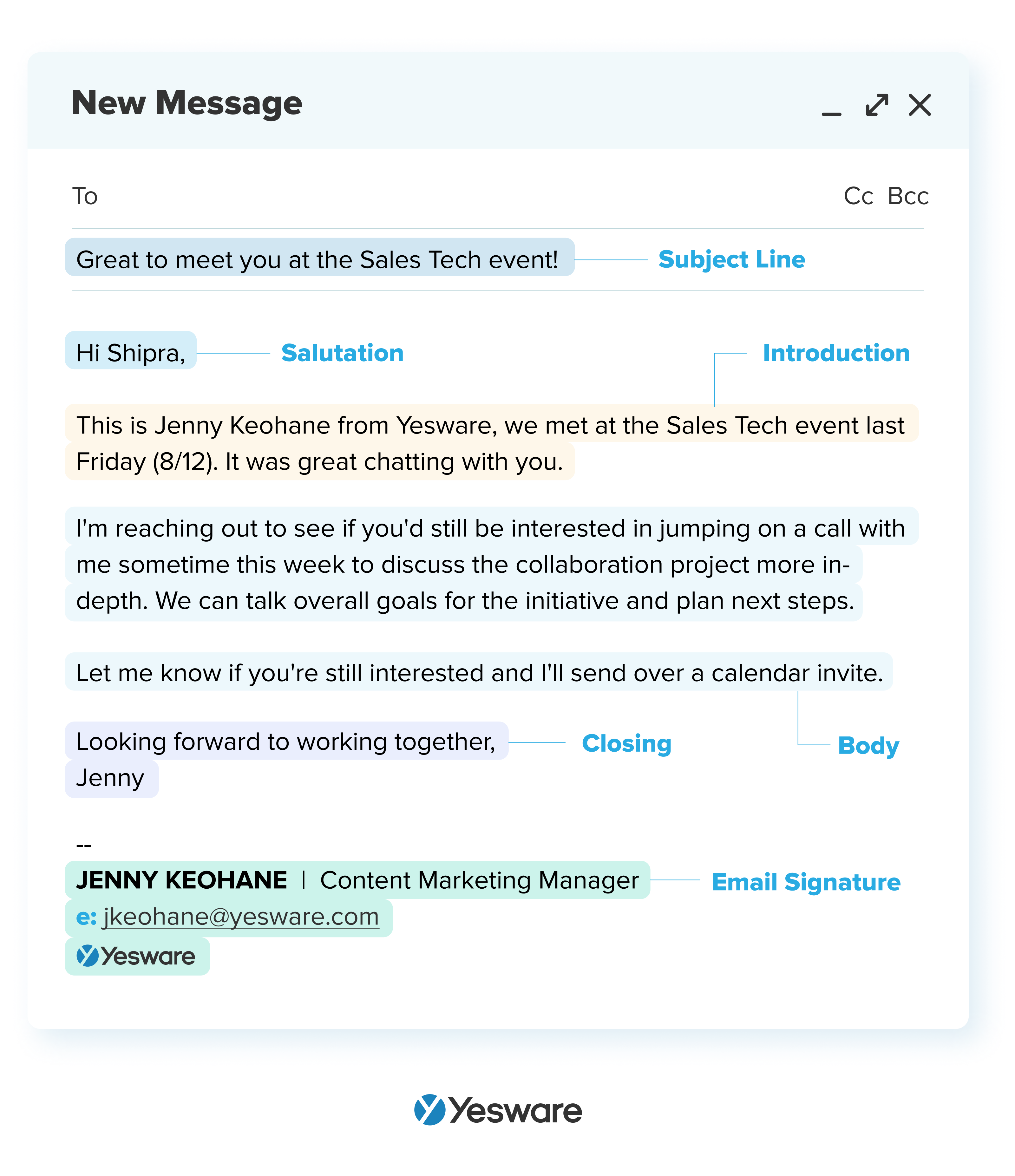
Creating a professional email signature is essential for any business. It helps to create a lasting impression and provides important contact information. Let’s explore some professional business email signature examples and how they can enhance your brand image.

Professional Business Email Signature Examples: Boost Your Brand

Credit: www.yesware.com

What is a Professional Email Signature?

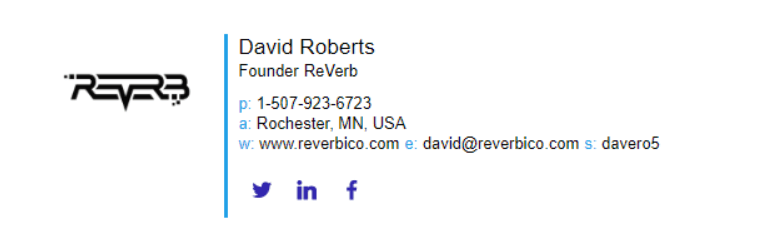
A professional email signature is a block of text or an image at the end of your emails. It includes your name, job title, company, contact information, and sometimes a logo or social media links. This enhances your professional image and provides recipients with easy access to your contact details.

Why is a Professional Email Signature Important?

  • Builds brand consistency
  • Makes communication more professional
  • Provides easy access to contact information
  • Enhances credibility

Key Elements of a Professional Email Signature

Here are some key elements to include in your professional email signature:

  • Name: Your full name.
  • Job Title: Your position in the company.
  • Company Name: The name of your business.
  • Contact Information: Phone number and email address.
  • Website: Your company’s website URL.
  • Logo: A small image of your company’s logo.
  • Social Media Links: Links to your professional social media profiles.

Example 1: Basic Professional Email Signature

This example includes all the essential elements for a simple yet effective email signature.

John Doe
Marketing Manager | ABC Company
Phone: (123) 456-7890
Email: john.doe@abccompany.com
Website: www.abccompany.com

Example 2: Professional Email Signature with Logo

Adding a logo to your email signature can enhance brand recognition.

ABC Company Logo
John Doe
Marketing Manager | ABC Company
Phone: (123) 456-7890
Email: john.doe@abccompany.com
Website: www.abccompany.com

Example 3: Professional Email Signature with Social Media Links

Including social media links allows recipients to connect with you on different platforms.

John Doe
Marketing Manager | ABC Company
Phone: (123) 456-7890
Email: john.doe@abccompany.com
Website: www.abccompany.com
Follow us: [LinkedIn](https://www.linkedin.com) | [Twitter](https://www.twitter.com) | [Facebook](https://www.facebook.com)

Example 4: Advanced Professional Email Signature

This example includes all elements: name, job title, company, contact information, logo, and social media links.

ABC Company Logo
John Doe
Marketing Manager | ABC Company
Phone: (123) 456-7890
Email: john.doe@abccompany.com
Website: www.abccompany.com
Follow us: [LinkedIn](https://www.linkedin.com) | [Twitter](https://www.twitter.com) | [Facebook](https://www.facebook.com)
Professional Business Email Signature Examples: Boost Your Brand

Credit: www.alore.io

How Namecheap’s Private Email Service Enhances Professional Email Signatures

To make your email signature look professional, you need a reliable email hosting service. Namecheap offers a professional email hosting service called Private Email. This service helps create custom email addresses using your domain name, such as yourname@yourdomain.com. This enhances your professional image.

Key Features Of Namecheap’s Private Email:

  • Custom Email Addresses: Establish personalized email accounts that align with your domain.
  • Collaboration Tools: Share and synchronize emails, calendars, contacts, and tasks.
  • Cross-Device Accessibility: Access your email from any device.
  • Integration with Email Clients: Compatible with Outlook, Thunderbird, and Gmail.
  • Enhanced Security: Benefit from two-factor authentication (2FA) and advanced spam protection.

Pricing Plans:

Plan Mailboxes Email Storage Additional Features
Starter Plan 1 mailbox 5 GB
Pro Plan 3 mailboxes 30 GB Full mobile sync support
Ultimate Plan 5 mailboxes 75 GB Full mobile sync support, premium email delivery

These plans are available at discounted rates with the promo code MAILDEAL.

Additional Information:

  • Email Migration: Namecheap offers straightforward migration options for transferring emails.
  • No Hosting Plan Required: Private Email can be purchased independently.
  • 24/7 Customer Support: Namecheap provides around-the-clock support.

To learn more about Namecheap’s Private Email service, visit Namecheap Private Email.

Frequently Asked Questions

What Is A Professional Email Signature?

A professional email signature includes your name, title, company, and contact details. It looks polished and consistent.

How Do I Create An Email Signature?

Use email client tools or online generators. Include basic details like name, job title, and contact info.

Why Is An Email Signature Important?

It provides contact details and adds credibility. Helps recipients know who you are and how to reach you.

What Should Be Included In A Business Email Signature?

Include your name, position, company, phone number, and email. Optional: logo, website, social media links.

Conclusion

Creating a professional email signature is essential for any business. It enhances your brand image and provides easy access to contact information. Namecheap’s Private Email service helps you create custom email addresses that align with your domain, enhancing your professional image. Follow the examples provided to create an effective email signature for your business.
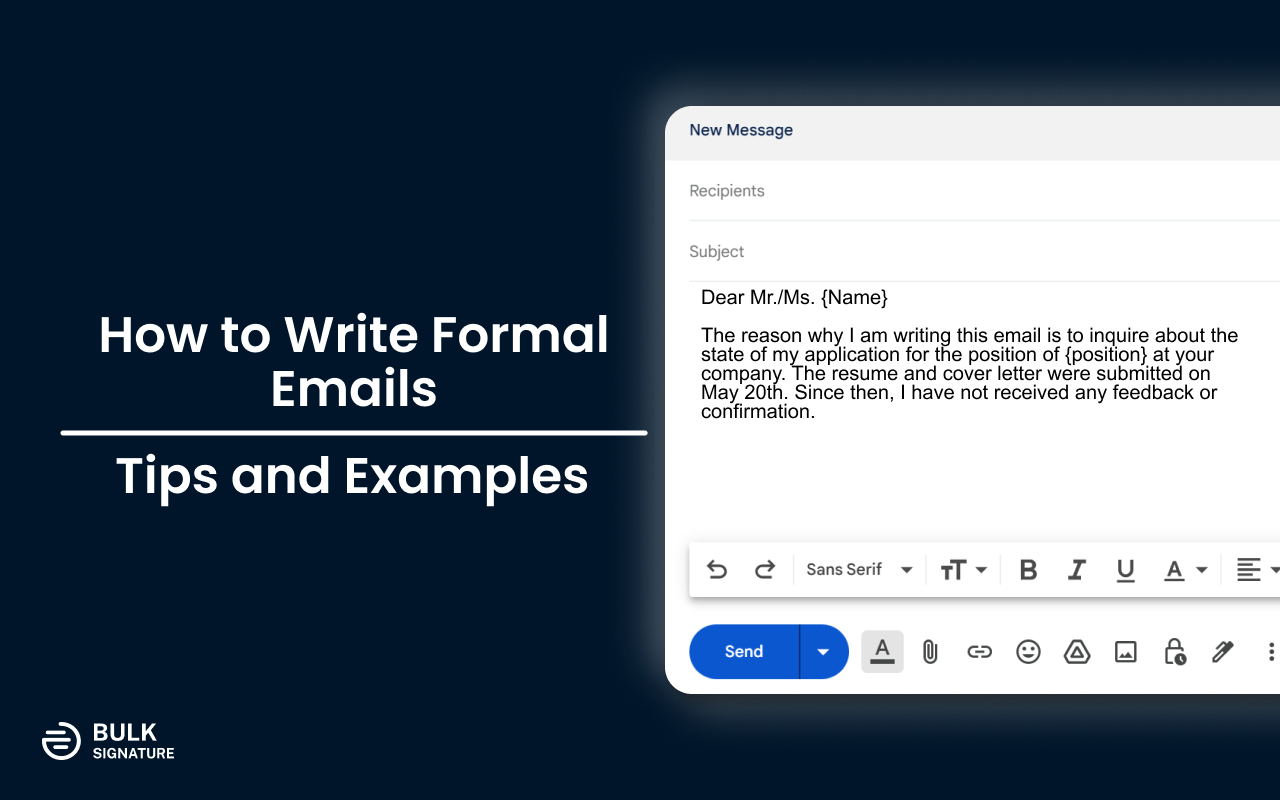
How to Write a Professional Business Email: 10 Essential Tips

How to Write a Professional Business Email

Writing a professional business email is an important skill. It helps you communicate clearly and effectively. Here, we will guide you through the steps of writing a professional business email.

Why Writing a Professional Email is Important

Professional emails show that you are serious and respectful. They help in making a good impression. They also ensure that your message is understood.

Steps To Write A Professional Business Email

1. Use a Professional Email Address

First, make sure you have a professional email address. It should include your name and your domain, like yourname@yourdomain.com. Using a custom email address, such as those provided by Namecheap, enhances your professional image.

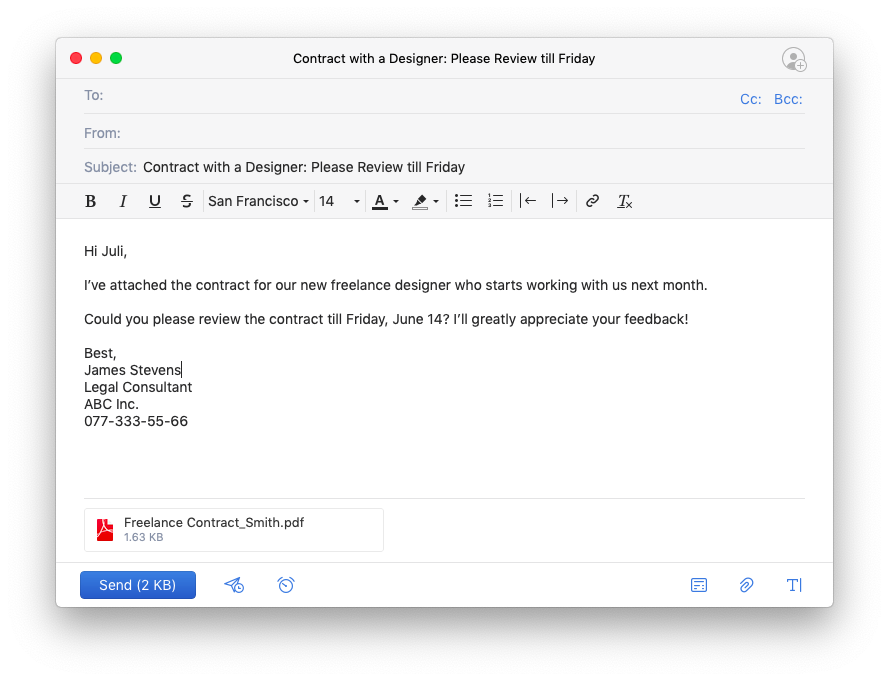
2. Use a Clear Subject Line

The subject line should tell the reader what the email is about. Keep it short and to the point. For example, “Meeting Request for Project Discussion” is a good subject line.

3. Start with a Greeting

Always start your email with a greeting. Use “Dear” followed by the person’s name. If you do not know the name, use “Dear Sir or Madam”.

4. Introduce Yourself

In the first paragraph, introduce yourself if the recipient does not know you. Mention your name and your position.

5. State the Purpose of Your Email

Clearly state why you are writing the email. Be specific and concise. For example, “I am writing to schedule a meeting to discuss the new project.”

6. Be Polite and Professional

Always be polite and professional in your email. Use “please” and “thank you”. Avoid using slang or informal language.

7. Use Short Sentences and Paragraphs

Keep your sentences and paragraphs short. This makes your email easy to read. Each paragraph should cover one topic.

8. Close with a Call to Action

End your email with a call to action. This tells the reader what you want them to do. For example, “Please confirm your availability for the meeting by Friday.”

9. End with a Professional Closing

Use a professional closing like “Sincerely” or “Best regards”. Follow this with your name and contact information.

10. Proofread Your Email

Always proofread your email before sending it. Check for spelling and grammar errors. Make sure your email is clear and professional.

How to Write a Professional Business Email: 10 Essential Tips

Credit: bulksignature.com

Example of a Professional Business Email

Here is an example of a professional business email:

My name is Jane Doe, and I am the Project Manager at XYZ Company.

I am writing to schedule a meeting to discuss the new project. I would like to go over the project details and our timeline.

Please let me know your availability for a meeting next week. I am available on Monday and Wednesday.

Thank you for your time. I look forward to your response.


Using Namecheap’s Private Email Service

To make your business communication even more professional, consider using Namecheap’s Private Email service. It offers secure and reliable email hosting for businesses and individuals. With Namecheap’s Private Email, you can create custom email addresses using your own domain name, such as yourname@yourdomain.com.

Key Features Of Namecheap’s Private Email

  • Custom Email Addresses: Establish personalized email accounts that align with your domain, promoting brand consistency.
  • Collaboration Tools: Share and synchronize emails, calendars, contacts, and tasks, facilitating seamless teamwork.
  • Cross-Device Accessibility: Access your email from any device, ensuring productivity whether you’re in the office or on the move.
  • Integration with Email Clients: Compatible with popular email applications like Outlook, Thunderbird, and Gmail, allowing you to manage your emails through your preferred platform.
  • Enhanced Security: Benefit from robust security measures, including two-factor authentication (2FA) and advanced spam protection, to safeguard your communications.

Pricing Plans

Namecheap’s Private Email service offers several plans to accommodate different needs:

Plan Mailboxes Storage Features
Starter Plan 1 mailbox 5 GB Basic features
Pro Plan 3 mailboxes 30 GB Full mobile sync support
Ultimate Plan 5 mailboxes 75 GB Full mobile sync support, premium email delivery

These plans are currently available at discounted rates with the promo code MAILDEAL.

Additional Information

Namecheap also offers straightforward migration options to transfer your existing emails to Private Email. You do not need a web hosting plan with Namecheap to use Private Email; it can be purchased independently. Namecheap provides 24/7 customer support to assist with any issues or questions related to their email hosting services.

How to Write a Professional Business Email: 10 Essential Tips

Credit: www.wikihow.com

Frequently Asked Questions

What Should Be The Subject Line Of A Business Email?

The subject line should be clear and concise. It should summarize the email content.

How To Start A Professional Business Email?

Begin with a polite greeting. Use the recipient’s name for personalization.

What Is The Ideal Length For A Business Email?

Keep it short and to the point. Aim for 2-3 short paragraphs.

How To Address A Business Email Recipient?

Use their title and last name. For example, “Dear Mr. Smith. “

Conclusion

Writing a professional business email is a valuable skill. Follow the steps above to ensure your emails are clear, concise, and professional. Consider using Namecheap’s Private Email service to enhance your professional image and ensure secure and reliable communication.

Learn more about Namecheap’s Private Email service here.

Professional Business Email Examples: Boost Your Communication Skills

Professional Business Email Examples

In the world of business, communication is key. One of the most important tools for communication is email. Using professional business email examples can help you improve your communication. Whether you are a small business owner or part of a large corporation, having a professional email address is essential. Namecheap offers a great service to help with this.


Why Use Namecheap’s Private Email Service?

Namecheap’s Private Email service is designed to provide secure and reliable communication. It allows you to create custom email addresses using your own domain name. This enhances your professional image. You can learn more about their service here.

Key Features Of Namecheap’s Private Email

  • Custom Email Addresses: Establish personalized email accounts that align with your domain, promoting brand consistency.
  • Collaboration Tools: Share and synchronize emails, calendars, contacts, and tasks, facilitating seamless teamwork.
  • Cross-Device Accessibility: Access your email from any device, ensuring productivity whether you’re in the office or on the move.
  • Integration with Email Clients: Compatible with popular email applications like Outlook, Thunderbird, and Gmail.
  • Enhanced Security: Benefit from robust security measures, including two-factor authentication (2FA) and advanced spam protection.

Pricing Plans

Namecheap’s Private Email service offers several plans to accommodate different needs:

Plan Features
Starter Plan Includes 1 mailbox with 5 GB of email storage.
Pro Plan Offers 3 mailboxes with 30 GB of email storage and full mobile sync support.
Ultimate Plan Provides 5 mailboxes with 75 GB of email storage, full mobile sync support, and premium email delivery.

These plans are currently available at discounted rates with the promo code MAILDEAL.

Professional Business Email Examples: Boost Your Communication Skills

Credit: localiq.com

Professional Business Email Examples

To help you get started, here are some professional business email examples. Each example is tailored for different situations. Use these templates to craft your own emails.

1. Introduction Email

My name is [Your Name], and I am the [Your Position] at [Your Company]. We specialize in [briefly describe your services or products]. I am reaching out to introduce our company and explore potential opportunities for collaboration.

We have been in the industry for [number] years, and we pride ourselves on [mention unique selling points]. I would love to schedule a call to discuss how we can work together.

Looking forward to your response.

2. Follow-up Email

I hope this email finds you well. I am writing to follow up on our previous conversation about [mention the topic]. I wanted to see if you had any further questions or if there is anything else I can assist you with.

Your feedback is important to us, and we are eager to move forward with our discussion.

Thank you for your time.

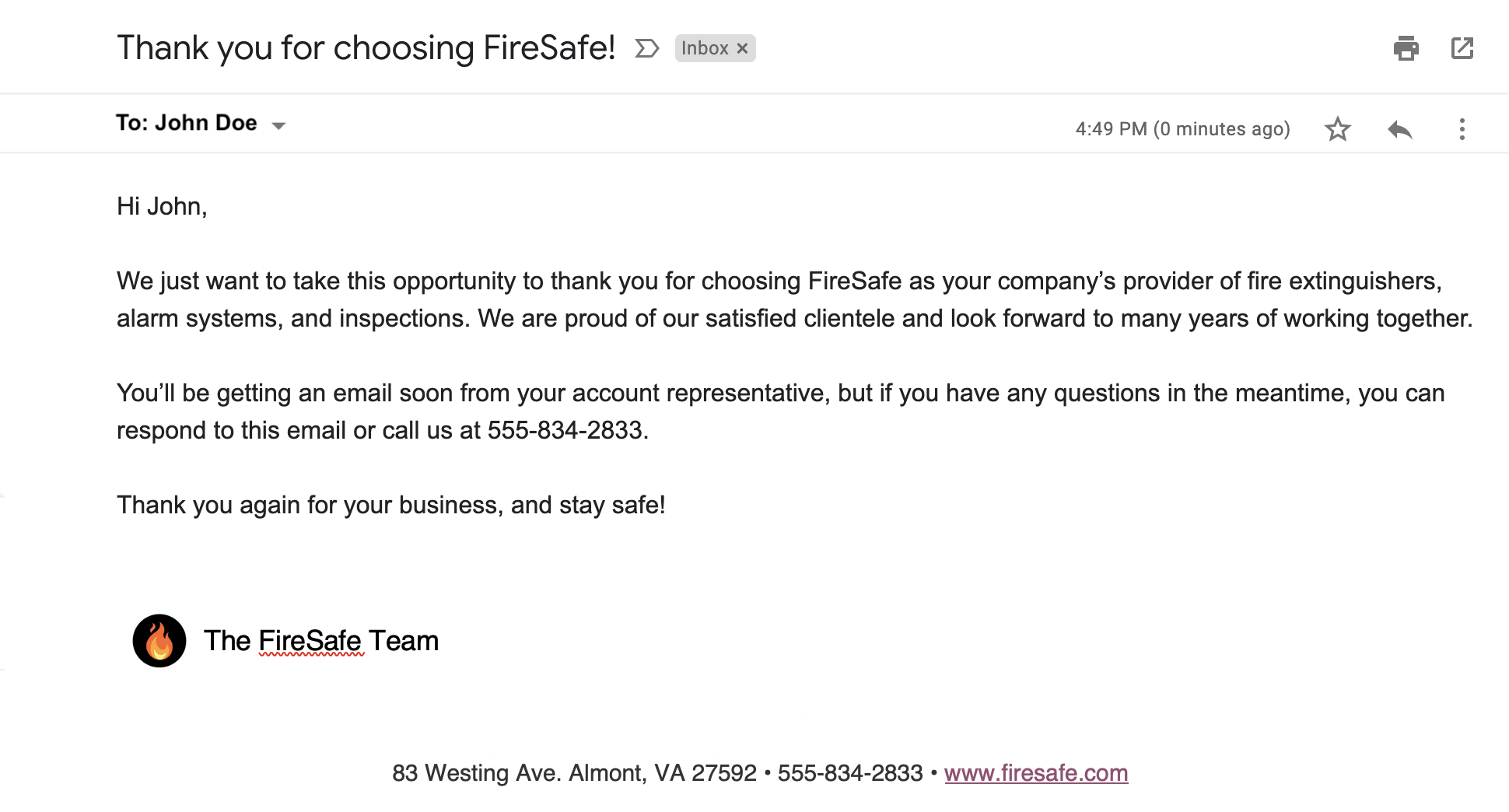
3. Thank You Email

I wanted to take a moment to thank you for choosing [Your Company]. We appreciate your business and are committed to providing you with the best service possible. If you have any questions or need further assistance, please do not hesitate to reach out.

Thank you once again.

4. Meeting Request Email

I hope you are doing well. I am writing to request a meeting on [date] to discuss [mention the topic]. I believe this meeting will be beneficial for both of us, and I am eager to hear your thoughts on the matter.

Please let me know your availability.

Thank you for your consideration.

5. Apology Email

I am writing to apologize for [mention the issue]. We understand the inconvenience this has caused and are working diligently to resolve it. Please accept our sincere apologies and know that we value your patience and understanding.

If there is anything we can do to make up for this inconvenience, please let us know.

Professional Business Email Examples: Boost Your Communication Skills

Credit: templatelab.com

Frequently Asked Questions

What Is A Professional Business Email Address?

A professional email uses your domain. Example: yourname@yourdomain. com. It boosts your business image.

Why Use A Custom Domain For Business Email?

It promotes brand consistency and trust. Custom domains look more professional than generic ones.

How To Set Up A Business Email?

Choose a provider, register a domain, and create email addresses. Namecheap offers easy setup.

What Are The Benefits Of Namecheap’s Private Email?

It offers custom emails, collaboration tools, cross-device access, and enhanced security. Affordable plans too.

Conclusion

Having a professional email address and using well-crafted email templates can significantly enhance your business communication. Namecheap’s Private Email service offers a secure and reliable solution for creating custom email addresses. This will help you maintain a professional image and improve your communication with clients and partners. You can explore their services here.

Start using these professional business email examples today, and experience the difference it can make in your communication strategy.

Professional Business Email Format: Mastering Effective Communication

Professional Business Email Format

Writing professional emails is important for business communication. A good email format can make a big difference. Here, we’ll talk about how to write a professional business email and how Namecheap’s Private Email can help you.

Why is Professional Email Format Important?

Professional emails show that you are serious and organized. They help you communicate clearly. When you use a good email format, people will understand your message better.

Key Elements of a Professional Business Email Format

There are several key elements to consider when writing a professional business email:

  • Subject Line: The subject line should be clear and to the point.
  • Greeting: Start with a polite greeting, like “Dear Mr. Smith”.
  • Body: The body of the email should be concise and clear.
  • Closing: End with a polite closing, like “Sincerely”.
  • Signature: Include your name, title, and contact information.
Professional Business Email Format: Mastering Effective Communication

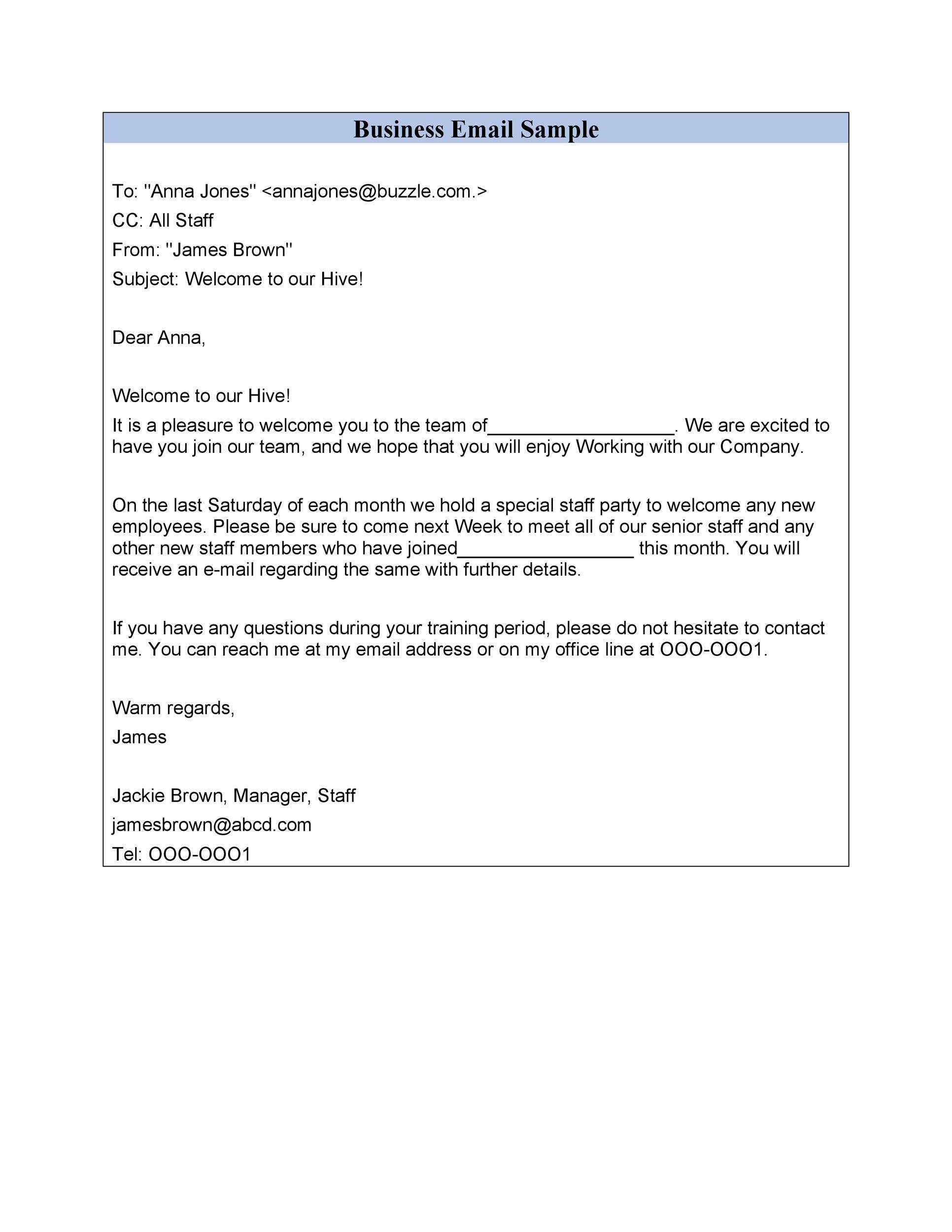
Credit: templatelab.com

Professional Business Email Format: Mastering Effective Communication

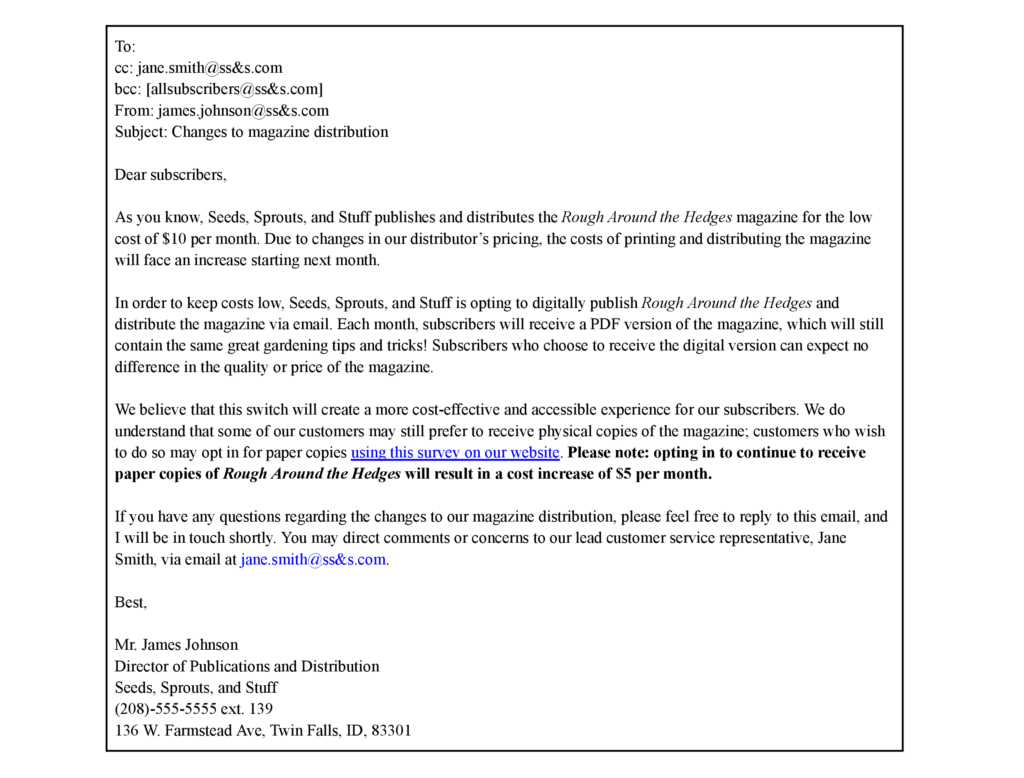
Credit: www.boisestate.edu

Example of a Professional Business Email Format

Here is an example of a professional business email:

    Subject: Meeting Schedule

    Dear Mr. Smith,

    I hope this email finds you well. I am writing to confirm our meeting scheduled for Monday at 10 AM. Please let me know if this time is still convenient for you.

    Sincerely,
    John Doe
    Marketing Manager
    johndoe@yourdomain.com
    

Using Namecheap’s Private Email for Professional Communication

Namecheap offers a professional email hosting service called Private Email. This service helps you create custom email addresses using your own domain name, like yourname@yourdomain.com. This enhances your professional image.

Key Features Of Namecheap’s Private Email

  • Custom Email Addresses: Establish personalized email accounts that align with your domain.
  • Collaboration Tools: Share and synchronize emails, calendars, contacts, and tasks.
  • Cross-Device Accessibility: Access your email from any device.
  • Integration with Email Clients: Compatible with Outlook, Thunderbird, and Gmail.
  • Enhanced Security: Benefit from two-factor authentication and advanced spam protection.

Pricing Plans

Namecheap’s Private Email service offers several plans:

Plan Features Price
Starter Plan 1 mailbox with 5 GB of email storage Discounted with promo code MAILDEAL
Pro Plan 3 mailboxes with 30 GB of email storage and full mobile sync support Discounted with promo code MAILDEAL
Ultimate Plan 5 mailboxes with 75 GB of email storage, full mobile sync support, and premium email delivery Discounted with promo code MAILDEAL

Additional Information

Here are some more things you should know about Namecheap’s Private Email:

  • Email Migration: Namecheap offers easy migration options if you’re switching from another email service.
  • No Hosting Plan Required: You can use Private Email without a web hosting plan.
  • Support: Namecheap provides 24/7 customer support for their email hosting services.

Frequently Asked Questions

What Is A Professional Business Email Format?

A professional business email format includes a clear subject, greeting, body, and signature.

How Do I Start A Business Email?

Start a business email with a polite greeting, like “Dear [Name]” or “Hello [Name]”.

What Should I Include In A Business Email Subject Line?

Include a concise, relevant topic that indicates the email’s purpose.

What Is A Good Closing For A Business Email?

End with a professional closing, like “Best regards,” or “Sincerely,” followed by your name.

Conclusion

Using a professional business email format is important for clear communication. It shows that you are organized and serious. Namecheap’s Private Email service can help you create custom email addresses, making your communication even more professional.

Professional Business Email Signatures: Ultimate Guide for Success

Professional Business Email Signatures: Enhance Your Professional Image

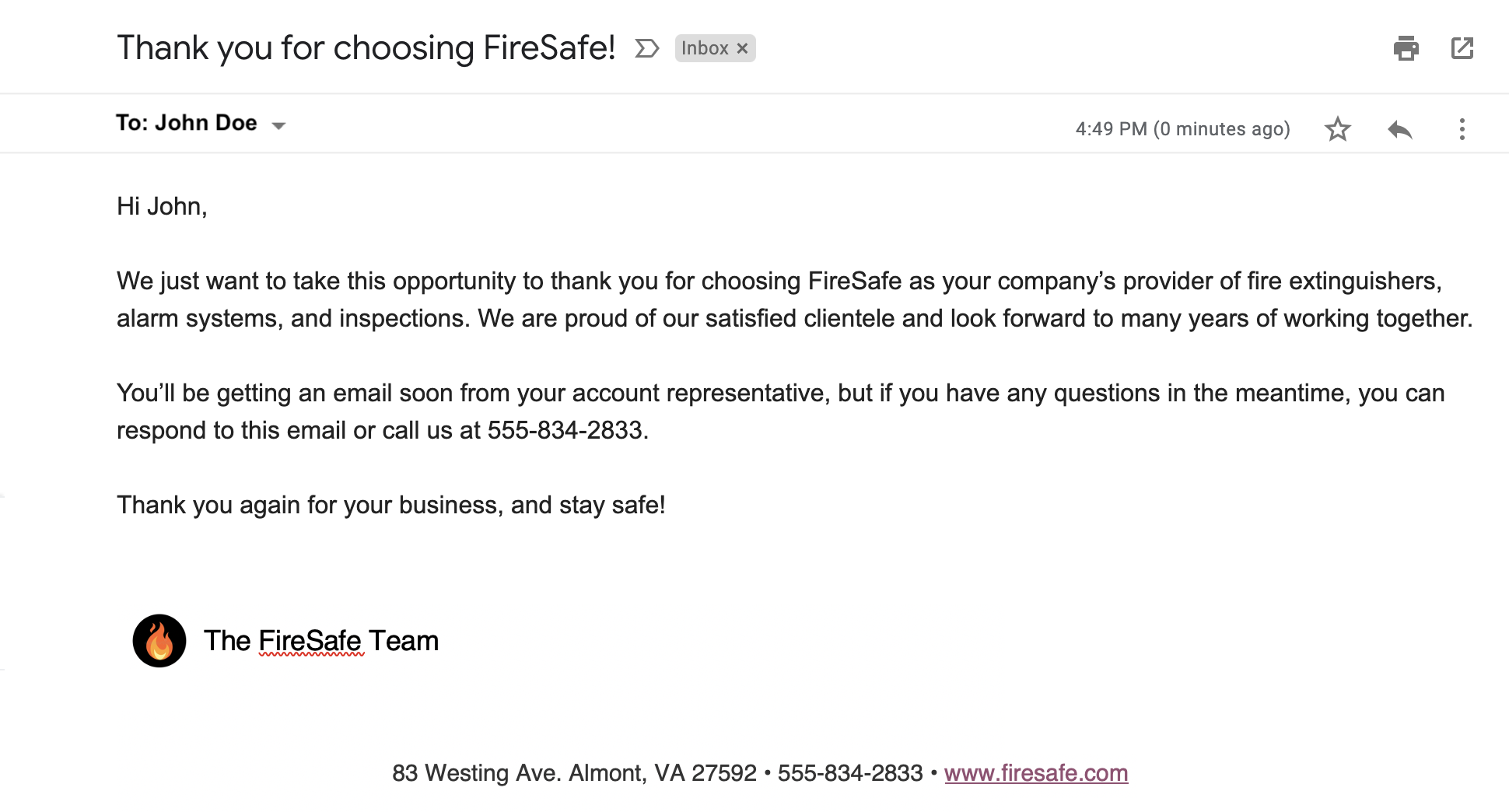
In the world of business, first impressions matter a lot. One of the first things people notice is your email signature. A Professional Business Email Signature can make a lasting impression. It shows that you are serious and professional about your work.

But what exactly is a professional business email signature? It is a small block of text at the end of your email. This block includes your name, title, company, and contact information. Sometimes, it also has a company logo or a picture. A good email signature can help build your brand and improve communication.

Why You Need a Professional Business Email Signature

Here are some reasons why having a professional email signature is important:

  • It makes you look professional and credible.
  • It provides your contact information in a clear and easy-to-find manner.
  • It promotes your company and brand.
  • It can include links to your website or social media profiles.
  • It helps in marketing and networking.

Now that you know why it is important, let’s talk about how you can create one. One of the best ways to create a professional email signature is by using a service like Namecheap’s Private Email. They offer a service called Private Email, designed to provide secure and reliable communication for businesses and individuals.

Professional Business Email Signatures: Ultimate Guide for Success

Credit: www.yesware.com

Key Features of Namecheap’s Private Email

Namecheap’s Private Email service offers several features that can help you create and manage professional email signatures:

  • Custom Email Addresses: You can create personalized email accounts that align with your domain. This promotes brand consistency.
  • Collaboration Tools: You can share and synchronize emails, calendars, contacts, and tasks. This makes teamwork seamless.
  • Cross-Device Accessibility: You can access your email from any device. This ensures productivity whether you’re in the office or on the move.
  • Integration with Email Clients: The service is compatible with popular email applications like Outlook, Thunderbird, and Gmail. This allows you to manage your emails through your preferred platform.
  • Enhanced Security: The service offers robust security measures, including two-factor authentication (2FA) and advanced spam protection. This safeguards your communications.

Pricing Plans

Namecheap’s Private Email service offers several plans to accommodate different needs:

Plan Mailboxes Email Storage Additional Features
Starter Plan 1 mailbox 5 GB
Pro Plan 3 mailboxes 30 GB Full mobile sync support
Ultimate Plan 5 mailboxes 75 GB Full mobile sync support, premium email delivery

These plans are currently available at discounted rates with the promo code MAILDEAL.


Professional Business Email Signatures: Ultimate Guide for Success

Credit: moosend.com

Additional Information

Here are some more features that make Namecheap’s Private Email a great choice:

  • Email Migration: If you’re transitioning from another email service, Namecheap offers straightforward migration options to transfer your existing emails to Private Email.
  • No Hosting Plan Required: You don’t need a web hosting plan with Namecheap to use Private Email. It can be purchased independently.
  • 24/7 Customer Support: Namecheap provides 24/7 customer support to assist with any issues or questions related to their email hosting services.

Frequently Asked Questions

What Is A Professional Email Signature?

A professional email signature is a block of text at the end of an email. It includes contact details and branding.

Why Use A Professional Email Signature?

It adds credibility and promotes your brand. It also provides important contact information.

What Should Be In A Professional Email Signature?

Include your name, job title, company, phone number, and website. Optionally, add social media links and a logo.

How To Design A Professional Email Signature?

Keep it simple and clean. Use consistent fonts and colors. Include necessary information only.

Conclusion

In conclusion, a Professional Business Email Signature is essential for anyone looking to create a strong professional image. It helps in making a good first impression, promotes your brand, and provides clear contact information. Namecheap’s Private Email service offers all the tools you need to create and manage professional email signatures. With features like custom email addresses, collaboration tools, and enhanced security, it is an excellent choice for businesses and individuals alike.

For more information, visit Namecheap Private Email.

Professional Business Email Template: Boost Your Communication Today

Professional Business Email Template

In the digital age, having a professional business email template is essential. It helps in establishing a strong brand image. Today, we will explore how Namecheap’s Private Email service can help you achieve that.

Professional Business Email Template: Boost Your Communication Today

Credit: templatelab.com

Why Use a Professional Business Email Template?

A professional email template is more than just a way to communicate. It shows that you are serious about your business. It gives a good impression to your clients and partners.

Key Benefits Of Professional Business Email Templates

  • Consistency: Ensures your emails look the same every time.
  • Branding: Helps in promoting your brand identity.
  • Professionalism: Makes your business look more credible.

Introducing Namecheap’s Private Email

One of the best services to consider for professional business emails is Namecheap’s Private Email. This service provides secure and reliable communication for businesses and individuals.

Key Features Of Namecheap’s Private Email

Here are some amazing features of Namecheap’s Private Email:

Custom Email Addresses

You can create custom email addresses using your own domain name. For example, yourname@yourdomain.com. This enhances your professional image.

Collaboration Tools

You can share and synchronize emails, calendars, contacts, and tasks. This makes teamwork seamless and efficient.

Cross-Device Accessibility

You can access your email from any device. This ensures you stay productive whether you are in the office or on the move.

Integration with Email Clients

Namecheap’s Private Email is compatible with popular email applications like Outlook, Thunderbird, and Gmail. You can manage your emails through your preferred platform.

Enhanced Security

You get robust security measures, including two-factor authentication (2FA) and advanced spam protection. This safeguards your communications.

Pricing Plans

Namecheap’s Private Email service offers several plans to accommodate different needs. Here are the plans:

Plan Mailboxes Email Storage Features
Starter Plan 1 mailbox 5 GB Basic features
Pro Plan 3 mailboxes 30 GB Full mobile sync support
Ultimate Plan 5 mailboxes 75 GB Premium email delivery and full mobile sync support

These plans are currently available at discounted rates with the promo code MAILDEAL.


Professional Business Email Template: Boost Your Communication Today

Credit: www.pinterest.com

Additional Information

Email Migration

If you are transitioning from another email service, Namecheap offers straightforward migration options. You can transfer your existing emails to Private Email easily.

No Hosting Plan Required

You don’t need a web hosting plan with Namecheap to use Private Email. It can be purchased independently.

24/7 Support

Namecheap provides 24/7 customer support. They assist with any issues or questions related to their email hosting services.

Frequently Asked Questions

What Is A Professional Business Email Template?

A professional business email template is a pre-designed format for business communication.

Why Use A Business Email Template?

It ensures consistency and professionalism in your communications.

How To Create A Business Email Template?

Use email clients or online tools to design and save your template.

Can I Customize A Business Email Template?

Yes, templates can be customized to match your brand’s style.

Conclusion

Having a professional business email template is crucial for any business. Namecheap’s Private Email service offers a reliable and secure solution. It helps you create custom email addresses, integrates with popular email clients, and provides enhanced security. Consider their various plans to find the best fit for your needs. For more details, visit Namecheap’s Private Email service.

Professional Business Email Address Example: Boost Your Brand Image

Professional Business Email Address Example

In the business world, communication is key. One of the most important ways to communicate is through email. Having a professional business email address can make a big difference. It shows that you are serious and professional. Let’s explore the importance of a professional email and see some examples.


Professional Business Email Address Example: Boost Your Brand Image

Credit: appinstitute.com

Why You Need a Professional Business Email Address

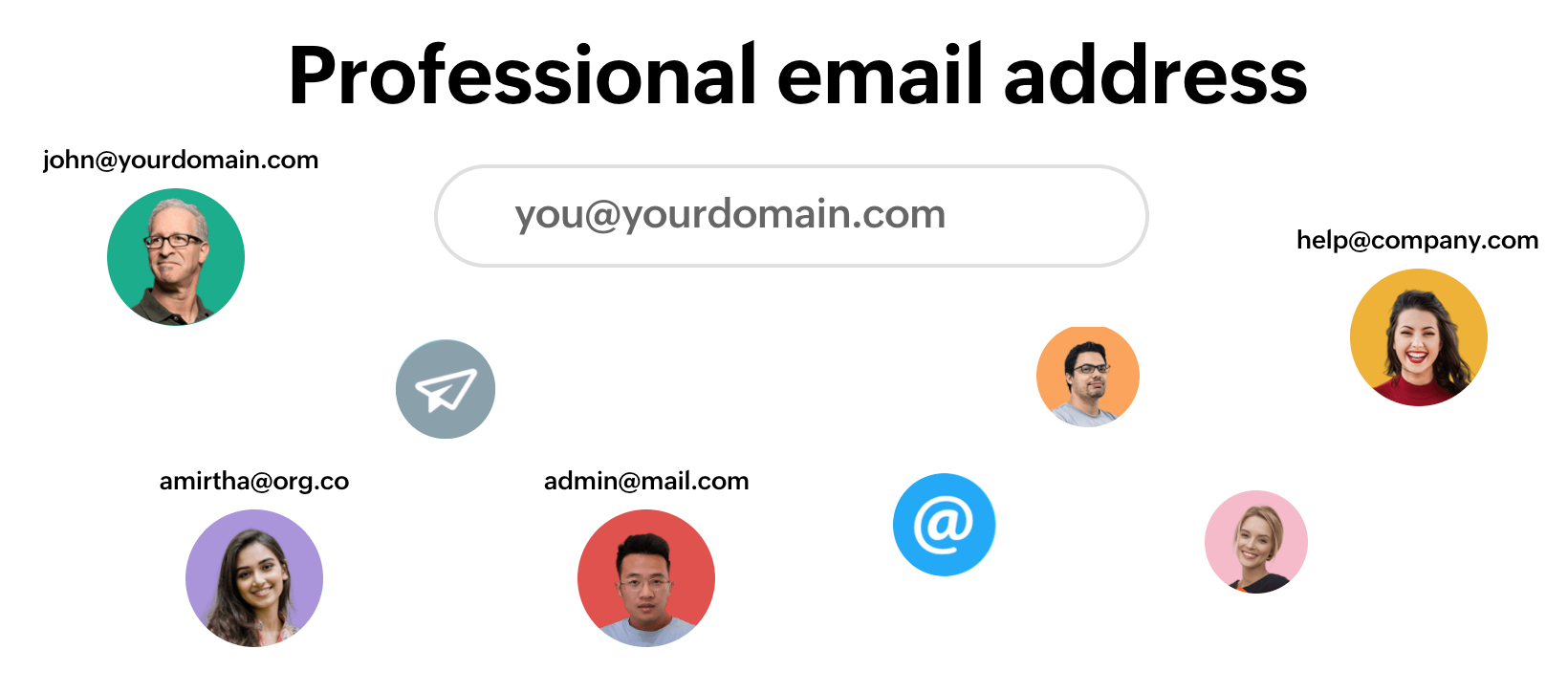
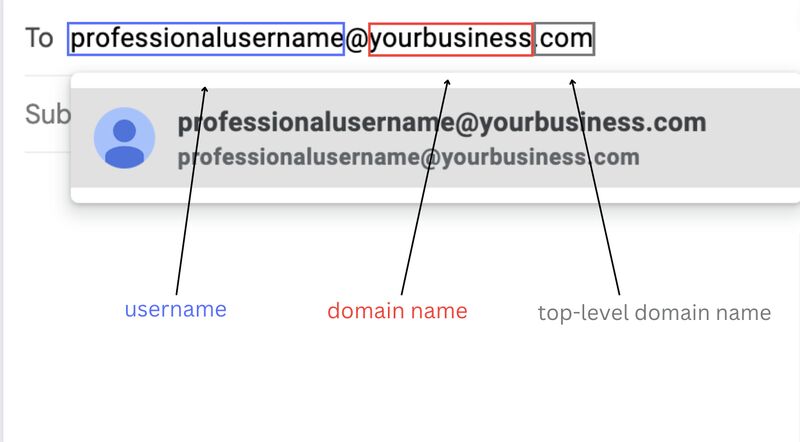
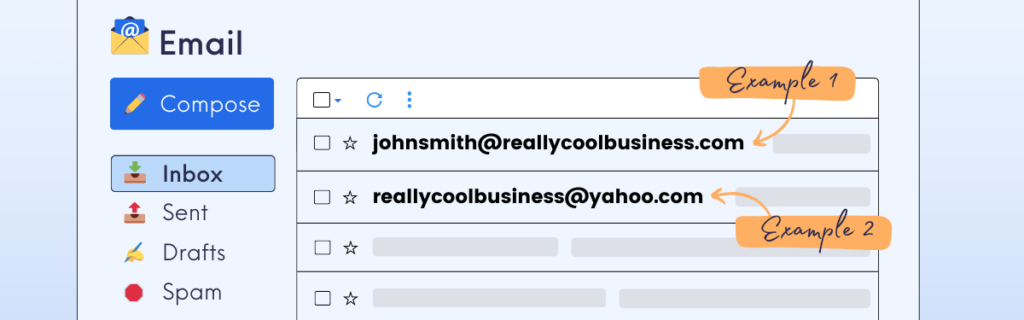
A professional business email address helps you look trustworthy. It is important for building relationships with clients and partners. Imagine getting an email from john.doe@gmail.com versus john.doe@yourcompany.com. Which one looks more professional? The second one, right? This is why a professional email address is important.

Professional Business Email Address Example

Here are some examples of professional business email addresses:

  • john.doe@yourcompany.com
  • jane.smith@yourbusiness.com
  • info@yourcompany.com
  • support@yourbusiness.com
  • contact@yourdomain.com

These examples show how using your domain name in your email address can make it look professional. It helps to promote your brand and makes it easier for people to remember your email.

Professional Business Email Address Example: Boost Your Brand Image

Credit: sparkmailapp.com

How to Get a Professional Business Email Address

Getting a professional business email address is easy with Namecheap’s Private Email service. Namecheap offers a professional email hosting service called Private Email. It is designed to provide secure and reliable communication for businesses and individuals. This service allows you to create custom email addresses using your own domain name.

Key Features Of Namecheap’s Private Email

Here are some key features of Namecheap’s Private Email service:

  • Custom Email Addresses: Establish personalized email accounts that align with your domain, promoting brand consistency.
  • Collaboration Tools: Share and synchronize emails, calendars, contacts, and tasks, facilitating seamless teamwork.
  • Cross-Device Accessibility: Access your email from any device, ensuring productivity whether you’re in the office or on the move.
  • Integration with Email Clients: Compatible with popular email applications like Outlook, Thunderbird, and Gmail, allowing you to manage your emails through your preferred platform.
  • Enhanced Security: Benefit from robust security measures, including two-factor authentication (2FA) and advanced spam protection, to safeguard your communications.

Pricing Plans

Namecheap’s Private Email service offers several plans to accommodate different needs:

Plan Mailboxes Email Storage Features
Starter Plan 1 5 GB Basic Email Hosting
Pro Plan 3 30 GB Full Mobile Sync Support
Ultimate Plan 5 75 GB Premium Email Delivery, Higher Priority

These plans are currently available at discounted rates with the promo code MAILDEAL.

Additional Information

  • Email Migration: If you’re transitioning from another email service, Namecheap offers straightforward migration options to transfer your existing emails to Private Email.
  • No Hosting Plan Required: You don’t need a web hosting plan with Namecheap to use Private Email; it can be purchased independently.
  • Support: Namecheap provides 24/7 customer support to assist with any issues or questions related to their email hosting services.

In conclusion, having a professional business email address is crucial for any business. It helps to build trust and promotes your brand. With Namecheap’s Private Email service, you can easily create custom email addresses that look professional. Check out Namecheap’s Private Email service to get started today.

Frequently Asked Questions

What Is A Professional Business Email Address?

A professional business email uses your domain name, like name@yourdomain. com.

Why Use A Professional Business Email Address?

It enhances your brand image and builds trust with clients.

How Do I Create A Business Email Address?

Register a domain, then use an email hosting service like Namecheap.

What Are The Benefits Of Namecheap’s Private Email?

Custom addresses, collaboration tools, cross-device access, and enhanced security.

Professional Business Email Address: Boost Your Brand Credibility

Professional Business Email Address – Namecheap’s Private Email Review

Why You Need a Professional Business Email Address

A professional business email address is important for any business. It makes your company look more professional and trustworthy. Imagine sending emails from yourname@yourdomain.com instead of a generic address like yourname@gmail.com. It shows that your business is serious and established.

Introducing Namecheap’s Private Email Service

Namecheap offers a professional email hosting service called Private Email. This service helps businesses and individuals to communicate securely and reliably. You can create custom email addresses using your own domain name, enhancing your professional image.

Professional Business Email Address: Boost Your Brand Credibility

Credit: fitsmallbusiness.com

Key Features of Namecheap’s Private Email

  • Custom Email Addresses: Create personalized email accounts that match your domain. This promotes brand consistency.
  • Collaboration Tools: Share and synchronize emails, calendars, contacts, and tasks. This makes teamwork seamless.
  • Cross-Device Accessibility: Access your email from any device. Stay productive whether in the office or on the move.
  • Integration with Email Clients: Compatible with popular email applications like Outlook, Thunderbird, and Gmail. Manage your emails through your preferred platform.
  • Enhanced Security: Enjoy robust security measures, including two-factor authentication (2FA) and advanced spam protection. Safeguard your communications.

Pricing Plans for Namecheap’s Private Email

Plan Mailboxes Email Storage Additional Features
Starter Plan 1 5 GB Basic features
Pro Plan 3 30 GB Full mobile sync support
Ultimate Plan 5 75 GB Premium email delivery and full mobile sync support

These plans are available at discounted rates with the promo code MAILDEAL.

Professional Business Email Address: Boost Your Brand Credibility

Credit: blog.aweber.com

Additional Information About Namecheap’s Private Email

  • Email Migration: If you’re switching from another email service, Namecheap offers easy migration options. Transfer your existing emails to Private Email without hassle.
  • No Hosting Plan Required: You don’t need a web hosting plan with Namecheap to use Private Email. It can be purchased independently.
  • Support: Namecheap provides 24/7 customer support. They are ready to help with any issues or questions related to their email hosting services.

Frequently Asked Questions

What Is A Professional Business Email Address?

A business email uses your domain, like yourname@yourdomain. com. It looks more professional.

Why Use Namecheap’s Private Email Service?

Namecheap’s Private Email offers custom addresses, security, and collaboration tools. It enhances your professional image.

How Secure Is Namecheap’s Private Email?

It includes two-factor authentication (2FA) and advanced spam protection. Your communications are safe.

Can I Access My Email On Multiple Devices?

Yes, you can. Namecheap’s Private Email works on any device. Stay productive everywhere.

Conclusion

Having a professional business email address is crucial for any business. It enhances your professional image and promotes trust. Namecheap’s Private Email service offers a secure and reliable solution for creating custom email addresses. With various plans to suit different needs and robust security measures, Namecheap’s Private Email is an excellent choice for businesses and individuals.

For more information, visit Namecheap’s Private Email service.

Squirrly SEO Review: Boost Your Rankings with AI Tools

Squirrly SEO Review – An In-Depth Look at This Comprehensive SEO Tool

Welcome to our detailed Squirrly SEO Review. If you’re looking to improve your website’s search engine rankings, this review is for you.

Squirrly SEO is a tool designed for website owners, marketers, and content creators. It helps optimize websites for search engines, improve rankings, and increase organic traffic.


Key Features of Squirrly SEO

Squirrly SEO stands out with its unique features. Let’s explore them:

  • Real-time SEO Help: This feature provides real-time SEO advice. As you write, it suggests improvements to optimize your content.
  • Content Optimization: It offers keyword recommendations, analyzes readability, and improves meta descriptions, headings, and images.
  • Keyword Research: The tool helps identify high-ranking keywords relevant to your niche. It finds keyword variations, long-tail keywords, and competition analysis.
  • Audit and Tracking: Squirrly SEO includes website audit tools. It checks for broken links, slow page load times, and other SEO issues.
  • SEO Analytics: This feature provides insights into the performance of your content and keywords.
  • Social Media Integration: Squirrly helps optimize your social media posts for SEO, boosting engagement on platforms like Facebook, Twitter, and Instagram.
  • SEO Training and Resources: It offers tutorials, guides, and webinars to help users understand and apply SEO effectively.
  • Automation: The tool automates many SEO tasks, making the process faster and more efficient.

Benefits of Using Squirrly SEO

There are many benefits to using Squirrly SEO. Here are a few:

  • Beginner-Friendly: It provides step-by-step guidance and suggestions for those new to SEO.
  • Time-Saving: With real-time advice and automated tasks, it saves time compared to traditional SEO methods.
  • Content and Keyword Focused: It ensures your content appeals to both search engines and your audience.
  • Affordable: Squirrly offers various pricing plans, making it accessible for individuals and small businesses.

How Squirrly SEO Works

Let’s look at how Squirrly SEO works:

On-page Optimization

As you write or edit content, Squirrly SEO monitors your work. It provides real-time suggestions to improve your SEO. This makes sure your content is optimized for search engines and your audience.

Content Optimization

Squirrly helps you write SEO-friendly content. It provides keyword recommendations and analyzes content readability. It also offers tips on improving meta descriptions, headings, and images.

Keyword Research

Squirrly SEO’s keyword research feature is powerful. It helps you find high-ranking keywords relevant to your niche. It also identifies keyword variations, long-tail keywords, and competition analysis.

Audit And Tracking

Squirrly SEO includes website audit tools. It checks your site’s overall SEO health. It looks for issues like broken links and slow page load times. It also tracks your performance over time, helping you monitor your SEO efforts.

Seo Analytics

The analytics feature offers insights into your content and keyword performance. This helps you understand what works and what doesn’t. It enables you to make data-driven decisions and adjust your strategies accordingly.

Social Media Integration

Squirrly helps integrate social media into your SEO strategy. It optimizes your social media posts, making them SEO-friendly. This boosts engagement on platforms like Facebook, Twitter, and Instagram.

Seo Training And Resources

Squirrly offers tutorials, guides, and webinars. This educational content helps users understand the basics of SEO. It teaches them how to apply SEO effectively to their websites.

Automation

Squirrly SEO automates many SEO tasks. This makes the process faster and more efficient. It’s particularly useful for content creators who need to focus on producing high-quality articles.

Squirrly SEO Review: Boost Your Rankings with AI Tools

Credit: www.youtube.com

Squirrly SEO vs. Traditional SEO Tools

What makes Squirrly SEO different from traditional SEO tools? Let’s compare:

Feature Squirrly SEO Traditional SEO Tools
Real-time SEO Help Yes No
Content Optimization Yes Yes
Keyword Research Yes Yes
Audit and Tracking Yes Yes
SEO Analytics Yes Yes
Social Media Integration Yes No
SEO Training and Resources Yes No
Automation Yes Limited
Squirrly SEO Review: Boost Your Rankings with AI Tools

Credit: phillipstemann.com

Frequently Asked Questions

What Is Squirrly Seo?

Squirrly SEO is a tool for optimizing websites and improving search engine rankings.

How Does Squirrly Seo Help With Content Optimization?

Squirrly SEO provides real-time suggestions, keyword recommendations, and readability analysis to optimize content.

Does Squirrly Seo Offer Keyword Research?

Yes, Squirrly SEO helps identify high-ranking keywords, keyword variations, and competition analysis.

Can Squirrly Seo Audit My Website?

Yes, it offers tools to analyze SEO health, check for broken links, and track performance.

Conclusion

In conclusion, Squirrly SEO is a comprehensive and user-friendly tool. It helps website owners, marketers, and content creators optimize their sites. With its real-time advice, content optimization, and keyword research, it stands out from traditional SEO tools.

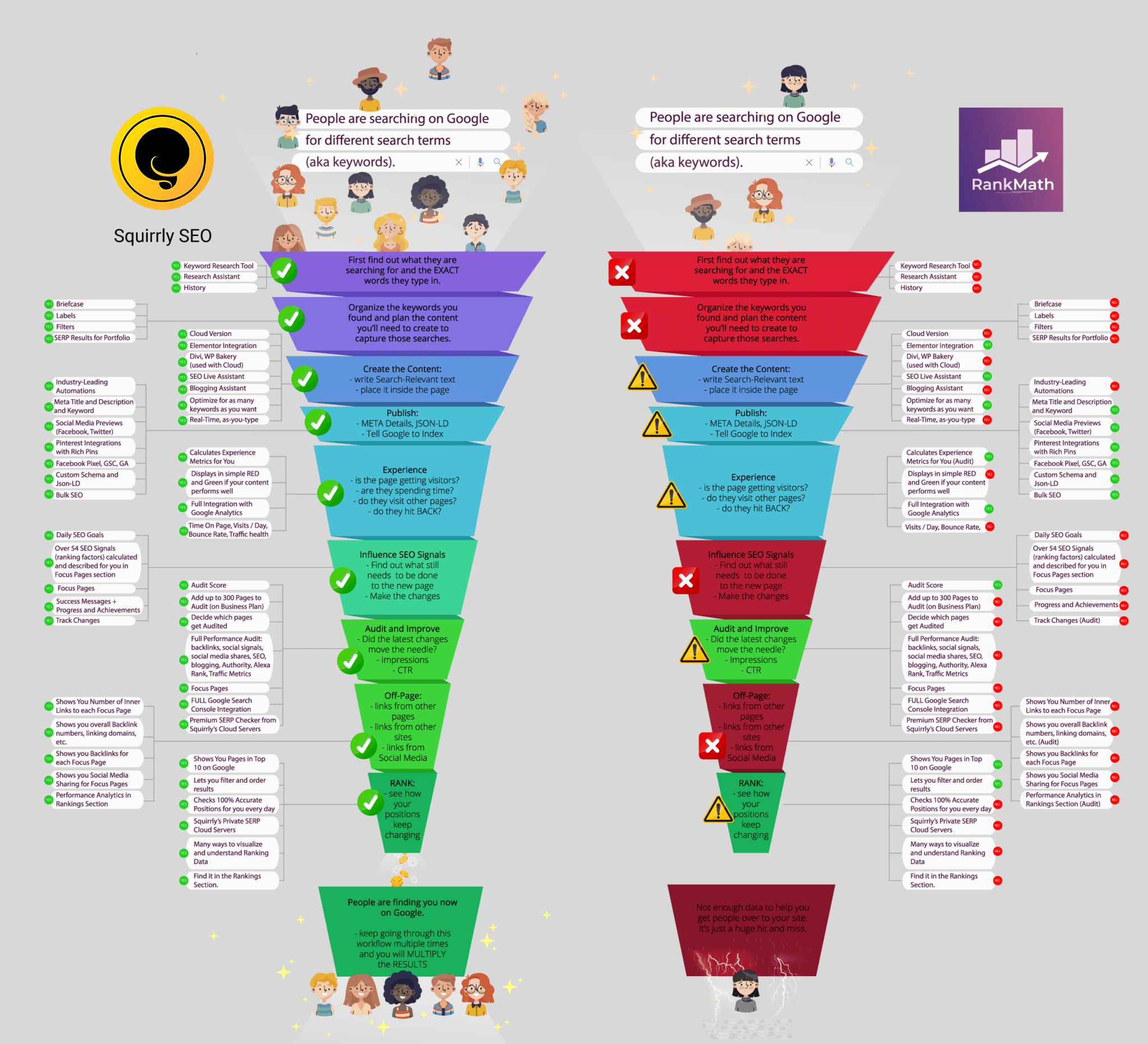
For more information, visit Squirrly SEO on AppSumo.

Squirrly SEO vs Rank Math: Ultimate Comparison Guide

Squirrly SEO Vs Rank Math: A Comprehensive Comparison

In the world of SEO tools, two popular options are Squirrly SEO and Rank Math. Both tools aim to help website owners and content creators improve their site’s SEO. But which one is better? Let’s compare their features, ease of use, and benefits.

What is Squirrly SEO?

Squirrly SEO is a comprehensive tool designed to help users optimize their websites. It offers real-time SEO advice, content optimization, keyword research, and more. Squirrly is known for its user-friendly approach, making it suitable for beginners.

Key Features Of Squirrly Seo

  • Real-time SEO Help: Provides suggestions as you write content.
  • Content Optimization: Helps with keyword recommendations, readability, and meta descriptions.
  • Keyword Research: Identifies high-ranking keywords and competition analysis.
  • Audit and Tracking: Analyzes SEO health and tracks performance.
  • SEO Analytics: Offers insights into content and keyword performance.
  • Social Media Integration: Optimizes social media posts for SEO.
  • SEO Training and Resources: Provides tutorials, guides, and webinars.
  • Automation: Automates many SEO tasks.

Benefits Of Using Squirrly Seo

  • Beginner-Friendly: Offers step-by-step guidance.
  • Time-Saving: Real-time advice and automated tasks.
  • Content and Keyword Focused: Optimizes content for both search engines and audience.
  • Affordable: Various pricing plans suitable for small businesses.

How Squirrly Seo Works

On-page optimization: As you write or edit content, Squirrly SEO monitors your work. It offers suggestions to improve your SEO, ensuring you target the right keywords and optimize your content.

Squirrly SEO vs Rank Math: Ultimate Comparison Guide

Credit: www.youtube.com


What is Rank Math?

Rank Math is another popular SEO tool. It helps website owners optimize their content and improve their rankings. Rank Math offers a wide range of features, making it a powerful tool for both beginners and experienced users.

Key Features Of Rank Math

  • Easy Setup Wizard: Simple installation and configuration process.
  • Advanced SEO Analytics: Detailed insights into your website’s performance.
  • Keyword Optimization: Helps you target the right keywords.
  • Schema Markup: Adds structured data to your site.
  • 404 Monitor: Tracks and fixes broken links.
  • Redirection Manager: Manages redirects easily.
  • Role Manager: Controls access to SEO settings.
  • Local SEO: Helps improve local search rankings.

Benefits Of Using Rank Math

  • Comprehensive Features: Offers a wide range of tools for SEO.
  • User-Friendly: Easy to set up and use.
  • Advanced Analytics: Provides detailed insights.
  • Flexible: Suitable for both beginners and experienced users.

How Rank Math Works

Rank Math guides you through the setup process with its easy setup wizard. It helps you configure your website for optimal performance. Rank Math also offers tools to optimize your content, manage redirects, and track your site’s performance.

Squirrly SEO vs Rank Math: Ultimate Comparison Guide

Credit: howto12.squirrly.co

Comparing Squirrly SEO and Rank Math

Feature Squirrly SEO Rank Math
Real-time SEO Help Yes No
Content Optimization Yes Yes
Keyword Research Yes Yes
SEO Analytics Yes Yes
Social Media Integration Yes No
SEO Training Yes No
Automation Yes No

Which One Should You Choose?

Both Squirrly SEO and Rank Math are excellent tools. Your choice depends on your needs. If you are a beginner, Squirrly SEO might be more suitable. It offers real-time help and training resources. If you need advanced features, Rank Math is a great choice. It provides comprehensive tools and detailed analytics.

Conclusion

In conclusion, both Squirrly SEO and Rank Math have their strengths. Squirrly SEO is user-friendly and offers real-time advice. Rank Math is powerful and provides advanced features. Choose the one that fits your needs best.

For more details on Squirrly SEO, visit their official page.

Frequently Asked Questions

What Is Squirrly Seo?

Squirrly SEO is a user-friendly tool that helps optimize website content for search engines.

What Is Rank Math?

Rank Math is an SEO plugin for WordPress, offering a range of optimization features.

How Do Squirrly Seo And Rank Math Differ?

Squirrly provides real-time SEO advice, while Rank Math offers advanced SEO settings.

Which Tool Is Easier For Beginners?

Squirrly is more beginner-friendly with its real-time assistance and user guidance.

Index